
Suno AI Music Generator gives creators a practical way to turn a written music idea into songs, instrumental beats and soundtrack cues without starting from a traditional recording session.
But useful AI music is not simply about entering a genre and accepting the first result.
A stronger workflow starts with the job the music needs to perform.
A song needs a memorable hook.
A background beat needs enough space for narration.
A short-form soundtrack needs its build and impact to line up with the visual edit.
This Suno AI Music Generator guide shows how to create those three kinds of projects with structured briefs, copy-ready prompts, version comparisons, simple editing decisions, downloads, mixing and publishing checks.
The companion 20-page guide includes three worked projects and 10 practical prompts that you can adapt to your own music.
Suno currently offers the v6 model family, including v6-mini for quick experiments and v6 or v6-wild on eligible paid accounts. You can review the official Suno v6 model guide.
Before planning an external editing workflow, also check the official Suno download guidance because download allowances depend on the account and plan.
What Is Suno AI Music Generator?
Suno AI Music Generator is an AI music creation platform that can generate songs and instrumental music from written instructions.
The practical value comes from how you structure those instructions.
A vague request such as:
Make an emotional song.
does not give you much to evaluate.
A useful brief should define what the music is supposed to do.
For example:
I need a quiet instrumental under a 14-second basketball Short. The voice explains a switch and a corner pass. The music should build to the shot, with enough space to hear every word.
That brief gives you a purpose.
Now you can judge whether the music actually supports the edit.
A practical Suno AI Music Generator workflow can include:
- writing the brief
- choosing the generation mode
- selecting a model
- creating two or more takes
- comparing the same section
- editing one problem at a time
- downloading the selected take
- mixing it with narration or video
- checking usage rights
- saving the prompt and production notes
The goal is not to generate the most complicated song.
The goal is to create a track that performs the job you gave it.
🛡️ Protect your connection while using Suno AI Music Generator, creating songs and beats, uploading project files, managing music downloads and working with cloud-based editing tools through NordVPN for added privacy and security on public or shared networks.
How to Use Suno AI Music Generator
Before generating anything, define the output.
Ask:
Purpose: Is this a song, beat or soundtrack?
Voice: Will the track contain singing, narration or no voice?
Energy: Should it stay restrained or build toward a specific moment?
Timing: Is there a hook, loop point or visual event that must land cleanly?
Restrictions: What should not appear?
Review: What would make you reject the take?
These questions make the next generation easier to compare.
Prompt 1: Create Your First Instrumental
Create a warm, upbeat instrumental for a sunrise city montage. Use a soft drum-machine groove, bright muted guitar, round bass, and a short piano motif. Start with guitar and light percussion, then let the bass and piano enter. Keep the mix uncluttered and the ending gentle. Instrumental throughout, with no vocal chops.
The important part is not only the instrumentation.
The prompt defines a beginning, a development and an ending.
That gives you specific moments to evaluate.
Simple Mode vs Custom Mode
The Suno AI Music Generator workflow changes depending on how much control you need.
Simple mode is useful when one description can explain the entire idea.
Custom mode is more useful when you want to separate lyrics from musical style.
For instrumental projects, Custom also makes it easier to define the arrangement without treating lyric space as part of the task.
Keep the two ideas separate:
Lyrics describe the words.
Styles describe how the words or music should sound.
Mixing everything into one long block makes later revisions harder.
Choose the Suno Model for the Job
A useful workflow also keeps the model consistent when comparing versions.
If you create one take using one model and the comparison take using another, you have changed more than one variable.
For quick experiments, v6-mini is designed as the lighter and faster option.
Eligible paid users can also use v6 for a more directed generation or v6-wild when they want more variation.
When testing one prompt change, use the same model.
That way you can hear the effect of the instruction instead of hearing the effect of changing the entire generation system.
Project 1: Create a Song With Suno AI
The first worked project in the guide is Into the Morning.
The brief is simple:
An intimate acoustic-pop song about coming home.
The chorus needs one line that remains memorable after one listen.
This is a useful example because the workflow protects the lyric rather than burying it under production.
Sample Chorus
Leave the porch light on till morning
Let it burn through all that blue
When the road runs out of answers
I’ll come home and start with you
The next step is not to ask for more instruments.
It is to give those words the right sound.
Prompt 2: Acoustic Pop Song Style
Intimate acoustic pop ballad at an unhurried pace. Fingerpicked acoustic guitar and a close, warm lead vocal in the verse. Bring in a soft kick, warm bass, and a light harmony on the last two lines of the chorus. Keep consonants clear and the guitar low under the voice. End with one short guitar figure.
After generating, listen directly to the first chorus.
Can you hear every word?
Does the chorus become larger without swallowing the singer?
A beautiful texture is not automatically the better take if the main lyric becomes difficult to understand.
Compare Two Suno AI Song Versions
Do not compare two tracks by asking which one sounds more impressive overall.
Compare them against the original brief.
For this song, the hook matters.
If Version A has richer production but hides the first chorus line, and Version B is simpler but makes the lyric clear, Version B may be more useful.
This is where Suno AI Music Generator becomes a production tool rather than a random generator.
You are choosing based on function.
Fix a Chorus That Feels Flat
A chorus can be readable but still lack lift.
Instead of rewriting the entire song, change one musical instruction.
Prompt 3: Add Earlier Harmony
Intimate acoustic pop ballad at an unhurried pace. Fingerpicked acoustic guitar and a close, warm solo vocal in the verse. Bring in a soft kick and warm bass in the chorus, with a gentle two-part harmony from the first chorus line. Keep consonants clear and the guitar low under the voice. End with one short guitar figure.
Now compare the old version and the new version from the end of the verse into the chorus.
Judge two things separately:
Lift: Does the chorus feel larger?
Clarity: Can you still hear the lyric?
A bigger chorus is only useful if it protects the part the listener is supposed to remember.
Repair a Crowded Hook
Sometimes the problem is not the arrangement.
The lyric itself may be too busy.
If a singer rushes a line, shortening the line can be more effective than adding more production.
Prompt 4: Give the Vocal More Space
Warm, close acoustic pop. Keep the verse light with fingerpicked guitar and very soft percussion. In the chorus, give the lead vocal space between phrases. Use light harmony on the closing line only, with no guitar fills behind the singer. Let the last word ring before the next section.
You can also test a shorter lyric.
Instead of:
I'll come home and start with you
try:
I'll find my way to you
Read both against the rhythm of the take.
The shorter version is useful only if it still resolves the story.
Project 2: Create a Lo-Fi Beat With Suno AI
The second project is After Hours Loop.
The brief:
A mellow instrumental for a late-night desk video.
The groove should settle quickly and contain a section that can repeat cleanly.
This type of project has different priorities from a song.
The beginning is less important than finding a stable section for the edit.
Prompt 5: Lo-Fi Beat
Late-night lo-fi hip-hop instrumental around 90 BPM. Use soft electric-piano chords, a dusty low snare, a light swung hi-hat, and a warm, rounded bass. Settle into a steady four-bar groove after a short intro. Keep changes subtle, with no vocal samples and no dramatic drop.
The phrase “steady four-bar groove” gives the track a job.
After generation, skip past the intro.
Find the first stable section.
Listen for:
- consistent drums
- stable chords
- no dramatic fill at the end
- similar room sound at both edges
That is a much better loop candidate than simply cutting the first 10 seconds.
How to Create a Clean Music Loop
If the groove is actually around 90 BPM in 4/4, four bars equal roughly 10.67 seconds.
But do not force the calculation onto the track.
The generated music may not land at exactly the requested tempo.
Use the beat grid in your editor and your ears.
Mark a strong downbeat.
Count four bars.
End just before the matching downbeat of the next phrase.
Then listen through at least three repeats.
A clean loop should not contain:
- doubled kick
- missing beat
- abrupt chord cut
- obvious drum fill
- sudden ambience change
If the musical seam is clean but you still hear a click, a short fade can help.
Make a Suno AI Beat Work Under Voiceover
A beat can sound excellent alone and still fail under narration.
This is especially important for short-form content.
Bass movement and bright repeated elements can mask speech.
Prompt 6: Voiceover-Friendly Lo-Fi Beat
Late-night lo-fi hip-hop instrumental around 90 BPM. Use soft electric-piano chords, a dusty low snare, and a light swung hi-hat. Use a lightly played bass with short notes and gaps between them. Keep the steady four-bar groove, with no vocal samples and no dramatic drop.
The change is small.
The bass now leaves gaps.
Test both takes beneath the same recorded sentence.
Do not compare them at different voice levels.
If words disappear, lower the music first.
If the track still competes with speech, use the thinner arrangement.
Project 3: Create a Video Soundtrack With Suno AI
The third project is Final Possession.
The brief:
A 14-second basketball Short showing a defensive switch, an open corner and the final shot.
The narration carries the analysis.
The music carries the tension.
This means the soundtrack should not compete with the voice.
It should support one important visual moment.
🛠️ Explore More Software Tools
Discover practical software solutions for productivity, development, content, and digital workflows with Wondershare.
Explore Wondershare ToolsAffiliate disclosure: We may earn a commission if you purchase through this link, at no extra cost to you.
Prompt 7: Sports Suspense Soundtrack
Cinematic sports suspense instrumental. Start with a low heartbeat kick and a dark pulsing synth. Build with restrained toms and a rising texture, then land on a single strong impact with a short tail. No vocals, no bright lead melody, and no long opening swell. Leave room for spoken commentary.
The important phrase is:
one strong impact
That impact has a job.
It should support the shot.
Build Music Around a 14-Second Short
The worked timeline uses four simple sections:
0–2 seconds: clock
2–8 seconds: switch and pass
8–12 seconds: shot and result
12–14 seconds: tail
Do not expect the generated song to be exactly 14 seconds long.
Generate the musical idea.
Then place the useful section inside the edit.
If the impact in the source track occurs at 23 seconds but you need the hit at 10 seconds in the video, work backward from the hit.
Trim and position the track so the event lands where the visual needs it.
Create More Space for Commentary
If a rising synth or busy percussion starts covering speech, reduce movement.
Do not immediately change the entire track.
Prompt 8: Quiet Sports Commentary Bed
Cinematic basketball suspense bed with a soft heartbeat kick, a low sustained synth, and sparse toms. Keep the build quiet and restrained, with little high-end motion. Add one firm low impact near the end, followed by a short decay. No vocals, cymbal wash, or high lead.
Now test the actual voice line.
For example:
Six seconds left. They switch the screen, and the corner is wide open.
If part of the sentence disappears, lower the music.
If the sound and the voice remain inseparable, move the impact after the words or generate a cleaner take.
Create a Stronger Version Without Narration
A caption-driven sports edit has different needs.
If no narrator must remain clear, the music can occupy more of the mix.
Prompt 9: High-Energy Sports Highlight
High-energy sports highlight instrumental with punchy drums, a short brass motif, and deep bass. Open with a clean downbeat, build with a brief syncopated drum fill, then hit one big accent for the replay. Keep the motif short and the ending tight. Instrumental only, with no crowd chants or vocals.
Use the stronger cue when the visual and captions tell the story.
Use the quieter bed when spoken analysis is more important.
This is another example of why Suno AI Music Generator prompts should describe the job, not simply the genre.
Fix One Sound Instead of Rebuilding the Track
A soundtrack can be almost perfect except for one distracting sound.
Changing everything wastes a useful generation.
Prompt 10: Remove a Distracting High Pattern
Dark sports suspense instrumental with a low heartbeat kick, round synth bass, and sparse toms. Keep the groove moving at a steady pace. Use a soft, distant sustained pad in place of any high synth pattern. Finish with one low impact and a short tail. Instrumental, with no bright arpeggio or metallic hi-hats.
Now compare the same few seconds from the old and new versions.
The change should solve one problem:
reduce competition with the voice.
If the original cue already fits and the impact simply arrives too late, move the audio clip instead of regenerating.
How to Compare Suno AI Takes
The guide uses a simple scoring system.
Give each take 0, 1 or 2 points for:
Fit
Does the music serve the song, loop or scene?
Timing
Can the useful section land where you need it?
Clarity
Can the audience hear the hook or narration?
A take with beautiful sound design can still lose if it does not fit the edit.
For example:
Take A may score well for fit and clarity but fail timing because its impact lands too late.
Take B may have slightly weaker clarity but contain an impact that lines up perfectly with the shot.
Choose the take you can actually finish.
Name Your Suno AI Versions Clearly
Do not leave finished projects with names such as:
final2.wav
or:
new-final-final.wav
Use names that explain the purpose.
For example:
final-possession-v02-narration-bed.wav
That tells you:
- project
- version
- intended use
Keep the untouched original and working edit separately.
Future you will know what each file was created for.
Download and Mix Suno AI Music
Once you choose the take, check the download options available in your account.
Keep one untouched copy.
Then create a working copy for your editor.
For narration projects:
- set the voice level first
- lower music during speech
- let music rise between phrases where appropriate
- listen with headphones
- test again on a phone speaker
The last step matters.
A mix that sounds balanced on headphones may mask the voice on a phone.
The PDF also notes that Suno’s November 2026 download rules separate download access from commercial permission.
Do not assume that downloading a file automatically grants a particular publishing right.
Suno AI Commercial Use and Publishing Rights
This part deserves careful attention.
Free-plan creation and paid-plan creation do not necessarily have the same usage permissions.
The companion guide specifically advises creators to plan the final use before generating.
A personal experiment and music intended for a monetized video are different projects.
For commercial work, check the current Suno plan terms before creating the final take.
Also use only lyrics, samples, recordings and other material that you created or have permission to use.
Suno permission to use a generated track commercially is not the same thing as a guarantee that every element you supplied is cleared.
Keep those two questions separate.
Do Not Assume an Upgrade Changes an Old Track
A useful publishing rule from the guide is to decide the intended use before generation.
If a track was created under conditions that only allow personal use, upgrading later should not automatically be treated as retroactive permission for that earlier track.
For a monetized project, use a take generated under the appropriate eligible plan and keep a record of how it was created.
That reduces uncertainty later.
Keep a Reusable Suno AI Project Record
A simple project note can save time.
Use a structure like this:
Project: Final Possession
Use: Commentary bed
Model/date: [fill in]
Prompts: 07 and 08
Chosen take: [fill in]
In-point: [fill in]
Download check: [fill in]
Usage-rights check: [fill in]
Final review: voice clear, impact aligned, tail clean
Save the note next to the audio files.
Also keep:
- prompt
- model
- generation date
- lyric version
- original file
- edited version
- final export
This creates a repeatable production record.
Common Suno AI Music Generator Mistakes
A few mistakes can make a good generation difficult to use.
1. Starting With Genre Instead of Purpose
“Make lo-fi music” is weaker than defining where and how the track will be used.
2. Changing Too Many Variables
If the melody is good but the drums are too loud, ask for softer drums.
Do not rewrite the entire concept.
3. Ignoring Voiceover Space
Music that sounds full by itself may become cluttered under narration.
4. Treating Requested BPM as Guaranteed
Use the requested tempo as guidance.
Verify the actual groove in your editor.
5. Cutting Loops Arbitrarily
Use matching downbeats and listen through several repeats.
6. Choosing the Most Impressive Take
Choose the track that fits the job.
7. Publishing Without Checking Rights
Plan whether the final use is personal or commercial before generation.
Suno AI Prompts: A Better Framework
A reusable Suno AI Music Generator prompt can follow this structure:
Use: What is the track for?
Genre or mood: What general musical direction?
Core instruments: What should carry the arrangement?
Development: What should change from beginning to end?
Priority: What must remain clear?
Exclusions: What should not appear?
For example:
Create a restrained cinematic instrumental for a 15-second sports analysis video. Use low percussion, a warm bass pulse and a dark sustained synth. Begin quietly, build gradually and place one strong low impact near the end. Keep the middle sparse so narration remains clear. No vocals, bright lead melody, crowd sounds or long cymbal swell.
That prompt is much easier to judge than:
Make epic sports music.
Suno AI Music for YouTube and Short-Form Video
Suno can be especially useful when a video needs music designed around one editing function.
Examples include:
- opening hooks
- background beds
- sports suspense
- tutorial music
- looping desk ambience
- montage cues
- caption-led highlight music
The strongest workflow is:
edit first → define the music job → generate → place the cue → adjust
Do not try to force the entire visual edit around the first generated soundtrack.
Let the picture define the timing.
Then use the music where it fits.
Suno AI Music Generator Limitations
AI music generation still requires review.
A prompt may request one tempo but the usable groove may differ.
A vocal line may become harder to understand than expected.
A requested instrument may dominate the mix.
A transition may arrive too late.
A generated track may sound good but provide no clean loop point.
That is why version comparison matters.
Do not judge only the first ten seconds.
Listen around the exact section you intend to use.
For songs, protect the hook.
For beats, protect the loop.
For soundtracks, protect the timing and narration.
A Simple Suno AI Workflow to Reuse
The complete process can be reduced to seven steps.
1. Write the brief
Decide what the listener should feel and what the track must accomplish.
2. Choose the mode and model
Keep the model consistent when comparing one prompt change.
3. Generate two takes
Do not decide from the first result automatically.
4. Compare one important section
Use the chorus, loop or soundtrack impact.
5. Change one thing
Fix the problem instead of rebuilding everything.
6. Finish the selected take
Download, edit and mix according to your project.
7. Save the decision
Keep the prompt, model, use case and publishing notes.
That is a much more reliable Suno AI Music Generator workflow than continuously generating until something sounds impressive.
Why the Suno AI Music Generator Matters for Prompts, Songs, Beats and Commercial Use
The Suno AI Music Generator gives beginners and advanced creators a faster way to turn ideas into usable audio projects. With the right workflow, the Suno AI Music Generator makes it easier to test Suno AI prompts for melodies, lyrics, moods and instrument styles without wasting time. Because the Suno AI Music Generator can generate melodies, structure and tone in seconds, it fits well into both personal and professional creative workflows.
If you want polished Suno AI songs, the Suno AI Music Generator helps you move from rough concepts to more complete drafts for review and refinement. For producers building Suno AI beats, the Suno AI Music Generator is useful for experimenting with rhythm ideas, hooks, background loops and short-form audio concepts. Another reason the Suno AI Music Generator stands out is its ability to support quick testing, revision and style changes for multiple music directions.
When reviewing Suno AI commercial use, the Suno AI Music Generator should be approached with clear attention to licensing, ownership terms and final usage rights. For marketers, creators and publishers, the Suno AI Music Generator can support ad concepts, short video soundtracks, branded content ideas and social media audio experiments. Overall, the Suno AI Music Generator is a practical tool for creators who want faster music ideation, stronger prompt testing and more flexible production workflows.
More AI Guides
Video creators can continue with our CapCut AI Short-Form Video Content Guide.
For AI image workflows, explore our ChatGPT Images for Blogs and Pinterest Guide.
You can also read our Nano Banana 2.1 Practical AI Image Guide for product photography, Pinterest graphics and image editing.
For research and source organization, see our Gemini Notebook Practical Guide.
Explore Google’s broader AI ecosystem with our Gemini 4 Argon Practical Guide.
For more AI tools and models, continue with our Claude Haiku 5.5 Guide.
Final Suno AI Music Generator Guide
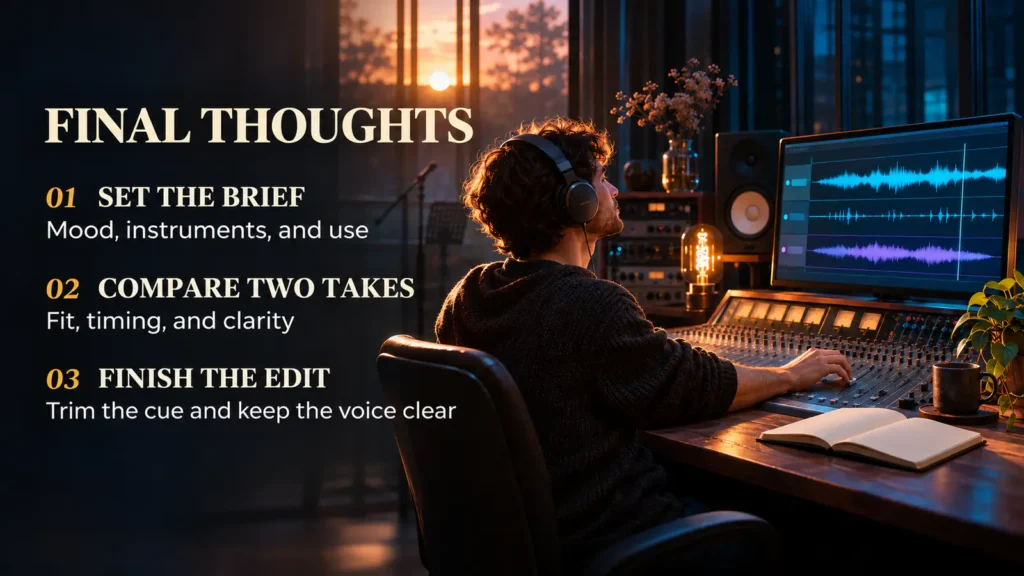
Suno AI Music Generator is most useful when you begin with the purpose of the music instead of the genre label.
For a song, protect the lyric and the hook.
For a beat, identify the bars that loop naturally.
For a soundtrack, build around the voice and picture timing.
Generate more than one take, but compare them fairly.
Keep the model and brief consistent while changing one instruction.
Do not add production complexity simply because a track feels too small.
Sometimes the better solution is a shorter lyric, thinner bass line or quieter synth.
When the track is ready, keep the original, edit and final export together.
Check the current download and commercial-use rules before publishing.
Then save the prompt and the reason you chose that take.
That creates a repeatable Suno AI Music Generator workflow you can use for future songs, beats, Shorts, tutorials and video soundtracks.
Access the Full Suno AI Music Generator PDF
The complete 20-page Suno AI Music Generator guide expands this article into three worked music projects and 10 copy-ready prompts.
The Into the Morning project shows how to create an acoustic-pop song, protect lyric clarity, add chorus lift and repair a crowded hook.
The After Hours Loop project demonstrates a lo-fi instrumental workflow, including a repeatable four-bar section, voiceover-friendly arrangement and loop editing.
The Final Possession project focuses on short-form sports soundtracks, showing how to create tension, keep space for narration, line up an impact with the picture and build a stronger version for an edit without voiceover.
The guide also includes take-comparison scoring, download and mix checks, commercial-use considerations, project-record templates and a final workflow you can reuse for future music.
Use the complete guide when you want the full Suno AI Music Generator process available as one structured downloadable resource.

Help Us Create More Valuable Resources
Digital World Pulse creates practical guides, in-depth analysis, useful tools, and downloadable resources available to everyone. Every article and resource requires time, research, hosting, and ongoing development.


If you found our content helpful, you can support our work through PayPal or Revolut. Your contribution is completely optional, and any amount—even the price of a coffee —helps us remain independent and continue creating useful, high-quality resources.
Thank you for supporting Digital World Pulse and helping us keep improving what we create.
Our AI and technology content is developed through hands-on testing, official documentation review, product research, software evaluation, and workflow verification where applicable.
Where applicable, prompts, workflows, software features, and processes are tested directly before publication to verify how they work in real-world use.
Yes. AI tools and software platforms can change quickly, including interfaces, features, model capabilities, usage limits, and pricing.
Yes. AI-generated output can be incomplete, inconsistent, or inaccurate, so important results should be reviewed and verified by a human.
Articles may be updated when important changes occur to tools, interfaces, pricing, model capabilities, software behavior, or workflows.