
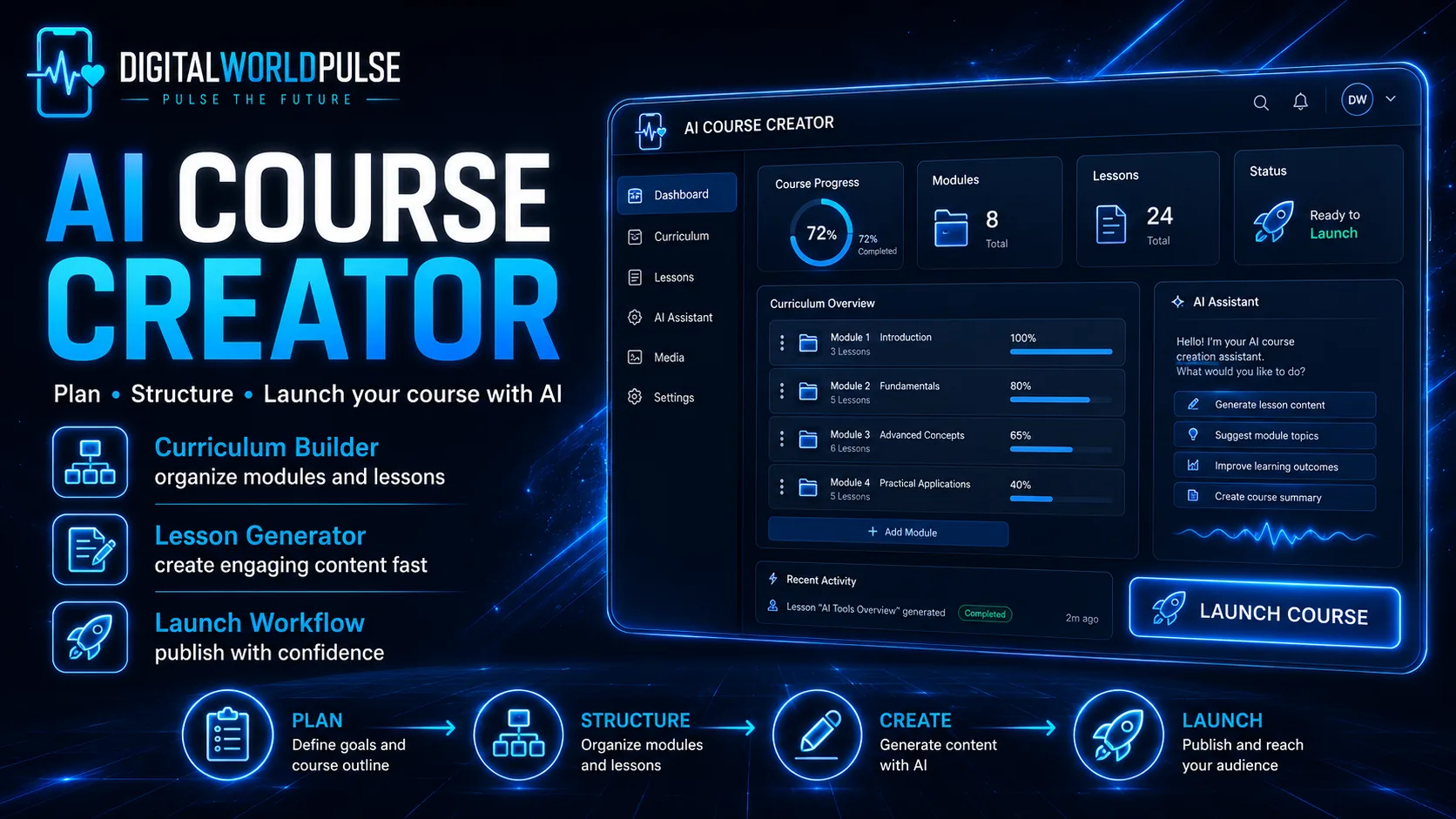
Creating a useful online course requires more than generating lessons with AI. A practical AI Course Creator should connect learner research, transformation goals, curriculum design, lesson planning, activities, assessments, accessibility, production, and review into one structured system.
The goal of an AI Course Creator is not to produce the largest possible course. It is to help learners move from a clear starting point to a measurable capability while AI supports research, planning, drafting, examples, exercises, and quality control without replacing human teaching judgment.
What Is an AI Course Creator?
An AI Course Creator is a structured workflow for planning, producing, reviewing, and improving an online course with AI assistance.
A useful process can look like:
Learner → Problem → Transformation → Curriculum → Lessons → Practice → Assessment → Review → Launch → Improve
Each stage has a different purpose.
Learner defines who the course is for.
Problem identifies what is preventing progress.
Transformation defines what the learner should be able to do after completing the course.
Curriculum organizes the knowledge and skills required.
Lessons teach individual concepts or processes.
Practice turns information into action.
Assessment measures whether the learner can actually perform the promised capability.
Review protects quality and accuracy.
Launch and Improvement connect the course to real learner feedback.
A strong AI Course Creator keeps these stages connected so course production does not become a collection of unrelated lessons.
Start With the Learner, Not the Topic
One of the easiest mistakes is starting with:
I want to create a course about AI.
That describes a subject, not a learning experience.
A better starting point is:
Who is the learner, what problem are they experiencing, and what should they be able to do after completing the course?
For example:
Broad Topic: AI productivity
Focused Course: Help freelancers build an AI-assisted weekly workflow for research, writing, administration, and quality control.
The second version gives the AI Course Creator much stronger inputs.
Before outlining modules, define:
| Field | What to Define |
|---|---|
| Learner | Who is the course for? |
| Starting Point | What can they do now? |
| Main Problem | What is blocking progress? |
| Desired Capability | What should they be able to do? |
| Experience Level | Beginner, intermediate, advanced? |
| Available Time | How much time can they realistically invest? |
| Proof of Progress | What result demonstrates learning? |
Example:
Learner: Freelance marketers
Starting Point: Uses AI occasionally without a system
Main Problem: Repetitive work takes too much time
Desired Capability: Build a reliable AI-assisted content workflow
Experience Level: Beginner to intermediate
Proof of Progress: Complete one documented workflow independently
This keeps the AI Course Creator focused on learner outcomes rather than content volume.
For research-heavy course topics, the AI Research Assistant can help organize questions, evidence, and source material before curriculum design begins.
Define a Clear Course Transformation
A course should promise a capability, not simply a quantity of content.
Compare:
20 lessons about content marketing.
with:
Build a repeatable content system that turns one research topic into several publishable assets.
The first describes volume.
The second describes transformation.
A practical AI Course Creator framework is:
Learner + Problem + Capability + Method + Evidence
Example:
Help solo business owners create a repeatable AI-assisted content workflow that turns research into articles, email content, and social posts while maintaining human quality control.
Now the curriculum has a destination.
Every major module should support that destination.
If a lesson is interesting but does not help the learner reach the final capability, move it to an optional resource or remove it.
This principle also applies to other structured planning systems. The AI Business Plan Generator follows the same logic: define the objective and required inputs before generating the final structure.
Build the Curriculum Spine Before Writing Lessons
Do not begin by asking AI:
Create a 50-lesson course about digital marketing.
That often produces too much material and too little progression.
A better AI Course Creator begins with the curriculum spine.
A practical structure can include:
- Starting Point — establish the learner’s baseline.
- Foundations — teach the minimum concepts required.
- Core Method — introduce the main process or framework.
- Guided Practice — apply the method with support.
- Independent Practice — reduce guidance.
- Capstone Project — demonstrate the complete capability.
Each module should answer one question:
What can the learner do after this module that they could not reliably do before?
For example:
Module 1: Define an AI-assisted workflow
Outcome: Learner can map inputs, AI tasks, human review, and outputs
Module 2: Build prompts for individual workflow steps
Outcome: Learner can create task-specific prompts
Module 3: Add quality control
Outcome: Learner can create review rules and error checks
Module 4: Test the workflow
Outcome: Learner can identify failures and improve the system
A strong AI Course Creator uses this sequence to build capability progressively instead of overwhelming learners with disconnected information.
The AI Workflow Designer can help organize course production itself into research, drafting, review, quality gates, and publishing stages.
Create a Lesson Brief Before Generating Content
Before drafting any lesson, define:
- learner level;
- lesson objective;
- required knowledge;
- main concept;
- demonstration;
- example;
- exercise;
- success criteria;
- connection to the next lesson.
Example:
Lesson Objective: Build a simple AI research workflow
Main Concept: Separate source collection from synthesis
Demonstration: Research → Verify → Extract → Summarize
Exercise: Create a four-step workflow for one topic
Success Criteria: Each step has a defined input and output
This gives the AI Course Creator a clear teaching objective instead of asking it to generate generic educational content.

Use AI to Build Lessons Without Losing Quality
Once the curriculum is stable, the AI Course Creator becomes much more useful.
Instead of generating an entire course at once, create one lesson at a time with clear inputs.
A practical lesson request should include:
- target learner;
- lesson objective;
- required source material;
- main concept;
- example;
- activity;
- expected output;
- success criteria.
A strong lesson structure can follow:
Context → Concept → Demonstration → Example → Practice → Feedback → Recap
For example:
Context: Why prompt structure matters in a workflow
Concept: Separate task, context, constraints, and output
Demonstration: Rewrite a vague prompt into a structured one
Practice: Learner creates a prompt for one workflow step
Feedback: Compare against a checklist
Recap: Keep one task per prompt
This gives the AI Course Creator a clear teaching function instead of asking it to produce generic explanations.
OpenAI’s Teaching with AI provides additional examples of using AI to support lesson planning and educational workflows.
Create Examples That Show the Method in Action
Examples are one of the fastest ways to make a course practical.
A weak explanation might say:
Write a strong landing-page headline.
A stronger teaching example would define:
Product: Free AI productivity guide
Audience: Freelancers
Problem: Too much repetitive administrative work
Headline: Build an AI-Assisted Weekly Workflow Without Automating Away Your Judgment
CTA: Download the Free Workflow Guide
Then explain why the example works.
The AI Course Creator should use hypothetical examples honestly and avoid presenting generated scenarios as real case studies.
If the course teaches conversion-focused content, the Landing Page Copywriter provides additional frameworks for headlines, benefits, proof, objections, and CTAs.
Turn Lessons Into Practice
A course becomes more useful when learners actively apply the material.
A practical AI Course Creator should add an activity after important concepts.
Useful formats include:
- diagnosis;
- comparison;
- build exercises;
- simulations;
- revision tasks;
- reflection;
- guided implementation.
For example:
Diagnosis: Identify five problems in a weak workflow.
Comparison: Compare two prompts and explain which is more reliable.
Build: Create a workflow using defined inputs, AI steps, and review gates.
Revision: Improve a weak first draft using a rubric.
The goal is to move learners from recognition to performance.
Design Assessments Around Real Ability
If the course promises a practical capability, the final assessment should require the learner to demonstrate that capability.
A useful AI Course Creator assessment system can include:
| Stage | Purpose |
|---|---|
| Diagnostic | Measure the starting point |
| Lesson Check | Confirm understanding |
| Practice Artifact | Apply one skill |
| Module Assessment | Combine related skills |
| Capstone | Demonstrate the full capability |
For an AI workflow course, a final project might require:
- documented trigger;
- required inputs;
- AI tasks;
- human review points;
- error handling;
- quality gates;
- success metrics.
That is more meaningful than asking learners to memorize terminology.
Create a Clear Evaluation Rubric
AI can help produce structured feedback when the grading criteria are explicit.
A simple rubric might use four categories:
Accuracy
Is the work factually and technically correct?
Strategy
Do the decisions support the intended result?
Execution
Is the final artifact complete and usable?
Quality Control
Were risks, limitations, and errors reviewed?
The AI Course Creator can use those criteria to draft feedback, but the creator should still review subjective or high-stakes assessments.
For example, instead of:
Good work.
A better response might say:
The workflow has a clear trigger and output, but the review gate does not explain what happens when required information is missing. Add a stop condition before the final action.
That gives the learner a specific next step.
Build Reusable Course Resources
Courses become more useful when learners leave with tools they can continue using.
An AI Course Creator can help produce:
- worksheets;
- checklists;
- prompt templates;
- decision matrices;
- scorecards;
- planning sheets;
- reference guides;
- example libraries.
For example:
Audience Research Worksheet
- learner;
- current problem;
- desired result;
- current skill level;
- common objections.
Lesson Quality Checklist
- clear objective;
- one main concept;
- practical example;
- learner activity;
- success criteria;
- accurate sources.
If students need longer companion resources, the E-book Creator can support the production of structured guides and downloadable materials.
Choose the Right Format for Each Lesson
Not every lesson needs video.
A practical AI Course Creator should match the medium to the task.
Video works well for demonstrations and walkthroughs.
Text works well for instructions, reference material, and searchable explanations.
Diagrams work well for systems, workflows, and relationships.
Templates work well for repeatable processes.
Audio can support interviews or reflection.
Live Sessions are useful for feedback, coaching, or complex discussion.
The question should be:
Which format helps the learner perform this task most effectively?
Not:
Which format makes the course look bigger?
Design Better Course Slides
Slides should support instruction instead of duplicating narration.
Use slides for:
- one key idea;
- one workflow;
- one comparison;
- one example;
- one decision rule;
- one exercise instruction.
Avoid filling slides with long paragraphs that the instructor simply reads aloud.
The AI Course Creator should help simplify presentation rather than turning every lesson into a wall of text.
Make the Course Accessible
Accessibility should be considered during course design.
Useful practices include:
- readable font sizes;
- strong contrast;
- captions for videos;
- transcripts where practical;
- descriptive links;
- clear heading hierarchy;
- mobile-friendly resources;
- alternatives to information communicated only through color.
The Web Content Accessibility Guidelines (WCAG 2.2) provide detailed guidance for improving digital accessibility.
A strong AI Course Creator should treat accessibility as part of quality, not as a final cosmetic check.
Keep Human Judgment at the Center
AI can accelerate:
- research;
- curriculum alternatives;
- lesson drafts;
- examples;
- exercises;
- rubrics;
- editing;
- quality checks.
But the creator still needs to:
- choose what learners need;
- verify important facts;
- make teaching decisions;
- demonstrate realistic applications;
- evaluate quality;
- improve the course from learner evidence.
UNESCO’s AI Competency Framework for Teachers emphasizes human-centered AI use, ethics, pedagogy, and professional responsibility.
A reliable AI Course Creator should support those responsibilities rather than automate them away.

Use the AI Course Creator Master Prompt
Role:
Act as an AI Course Creator, instructional designer, and course quality reviewer.

Topic:
[COURSE TOPIC]

Target Learner:
[DEFINE THE AUDIENCE]

Starting Point:
[WHAT CAN THE LEARNER DO NOW?]

Desired Capability:
[WHAT SHOULD THEY BE ABLE TO DO AFTER THE COURSE?]

Main Problem:
[WHAT IS BLOCKING THEM?]

Delivery Format:
[SELF-PACED / COHORT / WORKSHOP / HYBRID]

Available Source Material:
[RESEARCH / NOTES / EXPERIENCE / REFERENCES]

Rules:
- Do not invent research, statistics, quotations, results, or learner evidence.
- Keep every module connected to the final capability.
- Avoid lessons added only to increase course length.
- Separate verified information from assumptions.
- Flag anything requiring external verification.
- Include practice and measurable evidence of progress.
- Keep human review where teaching judgment or important decisions are required.

Create:
1. Course transformation statement
2. Learner profile
3. Prerequisites
4. Curriculum spine
5. Module outcomes
6. Lesson objectives
7. Practical examples
8. Exercises with increasing difficulty
9. Assessment plan
10. Final capstone project
11. Evaluation rubric
12. Downloadable resources
13. Accessibility checklist
14. Quality-control checkpoints
15. Learner feedback signals
This AI Course Creator prompt provides enough structure to create a coherent learning system without encouraging AI to fill the course with generic lessons or unsupported information.
Create a 30-Day Course Production Plan
A practical AI Course Creator production cycle can be organized into four stages.
Week 1 — Research and Curriculum
Define the learner, starting point, desired capability, prerequisites, major obstacles, module sequence, and measurable outcomes.
By the end of the first week, you should know:
- who the course is for;
- what the learner should achieve;
- which modules are necessary;
- which information requires research;
- how progress will be demonstrated.
Week 2 — Lessons and Practice
Draft individual lessons, demonstrations, examples, exercises, and downloadable resources.
Each lesson should include:
- one clear objective;
- the essential concept;
- a practical example;
- learner practice;
- success criteria.
The AI Course Creator should help speed up drafting while keeping every lesson connected to the curriculum spine.
Week 3 — Assessment and Quality Review
Build:
- lesson checks;
- module assessments;
- the capstone project;
- evaluation rubrics;
- accessibility checks;
- source verification;
- quality-control rules.
Review whether learners are being tested on real capability rather than simple recall.
Week 4 — Publish and Test
Upload the materials and test the complete learner journey.
Check:
- lesson order;
- links;
- downloads;
- video playback;
- captions;
- mobile usability;
- assessment instructions;
- resource access;
- completion flow.
Collect early feedback before expanding promotion.
The AI Course Creator should use this 30-day plan as a production framework, not as a reason to rush research, teaching decisions, or quality control.
Run a Final Course Quality Review
Before launch, confirm that the course works as one complete learning experience.
Learner and Outcome
- Is the target learner specific?
- Is the starting point clear?
- Is the final capability measurable?
- Does the course promise a realistic outcome?
Curriculum
- Does every module contribute to the final capability?
- Are prerequisites introduced before advanced skills?
- Are unnecessary lessons removed?
- Does the difficulty increase logically?
Lessons and Practice
- Does each lesson have one clear objective?
- Are examples relevant to the learner?
- Do important concepts include practical application?
- Are exercises connected to real tasks?
Assessment
- Do assessments measure ability rather than memorization?
- Is the capstone connected to the promised transformation?
- Are evaluation criteria clear?
- Can learners understand how to improve weak work?
Accuracy and Quality
- Are important claims verified?
- Are hypothetical examples clearly presented as examples?
- Are sources current?
- Are instructions clear?
- Has repetitive content been removed?
Accessibility and Usability
- Are videos captioned where needed?
- Are downloads readable on smaller screens?
- Are headings and links clear?
- Is important information understandable without relying only on color?
- Can learners navigate the course easily?
Human Review
- Are teaching decisions still controlled by the creator?
- Are subjective assessments reviewed appropriately?
- Is there a process for correcting inaccurate material?
- Can learner feedback influence future updates?
A reliable AI Course Creator should make the course easier to plan, produce, and improve without weakening the human judgment responsible for the learning experience.
Improve the Course With Learner Evidence
The first published version should not be treated as permanently finished.
A practical AI Course Creator should collect evidence such as:
- lesson completion;
- assessment results;
- repeated learner questions;
- drop-off points;
- confusing instructions;
- weak exercises;
- resource usage;
- learner feedback.
For example, if many learners complete a lesson but fail the related exercise, the problem may be in the explanation, example, or practice design.
If learners repeatedly ask the same question, the lesson may need clarification.
If one module creates a major drop-off, review whether it is too difficult, too long, or introduced too early.
The goal is not to change the course constantly. It is to use real learner behavior to identify improvements that matter.
Access the Complete AI Course Creator Guide
The downloadable AI Course Creator PDF is an optional companion to the complete framework provided on this page.
The article already includes learner research, transformation design, curriculum architecture, lesson briefs, practical activities, assessments, rubrics, reusable resources, accessibility, the Master Prompt, a 30-day production plan, and the final quality review.
The PDF adds reusable worksheets, expanded module-planning templates, assessment tools, production sheets, implementation exercises, and additional course-building resources.
Help Us Create More Free Resources
Digital World Pulse creates practical guides, useful tools, and downloadable resources that are freely available to everyone. Every resource requires time, research, hosting, design, testing, and software.


If you found this AI Course Creator useful, you can support our work through PayPal or Revolut. Your contribution is completely optional, and any amount—even the price of a coffee —helps us remain independent and continue creating useful resources.
Thank you for supporting Digital World Pulse and helping us continue this journey!
Our AI and technology content is developed through hands-on testing, official documentation review, product research, software evaluation, and workflow verification where applicable.
Where applicable, prompts, workflows, software features, and processes are tested directly before publication to verify how they work in real-world use.
Yes. AI tools and software platforms can change quickly, including interfaces, features, model capabilities, usage limits, and pricing.
Yes. AI-generated output can be incomplete, inconsistent, or inaccurate, so important results should be reviewed and verified by a human.
Articles may be updated when important changes occur to tools, interfaces, pricing, model capabilities, software behavior, or workflows.