
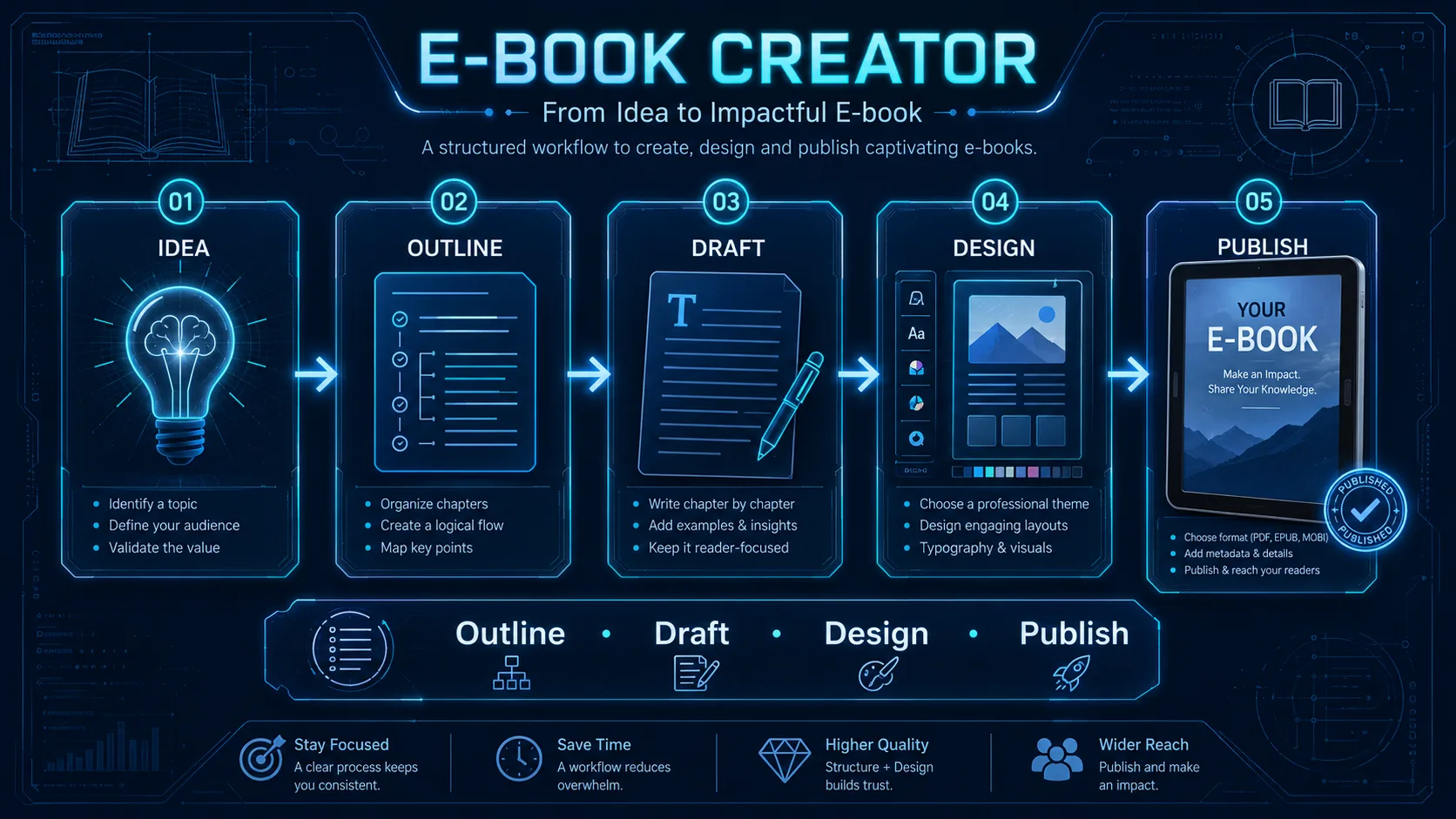
Creating a useful digital book requires more than writing a long document and exporting it as a PDF. A practical E-book Creator should connect audience research, topic validation, chapter planning, reliable sources, drafting, editing, design, publishing, and distribution into one clear production workflow.
The goal of an E-book Creator is not to generate dozens of pages as quickly as possible. It is to help create a resource with a defined reader, a specific promise, useful examples, logical chapters, and a publishing plan that makes the finished book easier to read, share, and improve.
What Is an E-book Creator?
An E-book Creator is a structured system for turning an initial idea into a complete digital publication.
A practical workflow can look like:
Idea → Audience → Validation → Research → Outline → Draft → Edit → Design → Format → Publish → Measure
Each stage solves a different problem.
Idea defines the subject.
Audience determines who the book is for.
Validation checks whether the topic addresses a real need.
Research provides evidence, examples, and useful context.
Outline organizes the reader journey.
Drafting develops the content.
Editing removes repetition and improves clarity.
Design makes the information easier to use.
Publishing prepares the finished files.
Measurement shows whether readers actually engage with the resource.
A reliable E-book Creator keeps these stages separate enough that each can be reviewed before the project moves forward.
Define the Reader Before Writing Chapters
The first planning question should not be:
What chapters should I write?
Start with:
Who is this book for?
A useful E-book Creator should define the reader before defining the table of contents.
Create a short reader brief:
| Field | What to Define |
|---|---|
| Reader | Who should use the book? |
| Problem | What are they trying to solve? |
| Knowledge Level | Beginner, intermediate, advanced? |
| Desired Outcome | What should improve after reading? |
| Main Frustration | What makes the problem difficult now? |
| Existing Alternatives | What resources do they already use? |
For example:
Reader: Solo business owners using AI tools
Problem: AI tasks are scattered across disconnected apps
Knowledge Level: Beginner to intermediate
Desired Outcome: Build a repeatable weekly productivity system
Main Frustration: Too much time switching between tools
This is more useful than targeting a vague audience such as “people interested in AI.”
For research-heavy projects, the AI Research Assistant can help organize questions, evidence, and source material before drafting begins.
Validate the Topic Before Investing in Production
A good idea is not automatically a useful book topic.
Before committing to a full project, the E-book Creator should look for evidence that readers actually care about the problem.
Useful validation signals can include:
- recurring search questions;
- customer emails;
- community discussions;
- comments;
- forum threads;
- existing books;
- competitor resources;
- repeated support questions;
- gaps in current content.
The purpose is not to find a topic with zero competition.
Competition can indicate existing demand.
The more important question is whether you can contribute something clearer, more practical, more current, or better structured.
A simple validation worksheet could use:
Problem: What recurring issue exists?
Audience: Who experiences it?
Existing Resources: What is already available?
Gap: What is missing or weak?
Unique Contribution: What will this book add?
A strong E-book Creator should be able to answer those questions before writing thousands of words.
For market and positioning research, the Competitor Analysis Template can help compare existing resources and identify useful gaps.
Write a Clear Book Promise
Once the audience and problem are defined, write one sentence that explains the value of the book.
A practical formula is:
This e-book helps [specific reader] achieve [specific outcome] without [major frustration].
Example:
This e-book helps beginner affiliate marketers build a simple content and conversion system without relying on random promotions.
Another example:
This e-book helps solo consultants organize AI-assisted research without losing track of sources and evidence.
The promise acts as a filter.
Every chapter should support it.
If a section does not help the reader reach the promised outcome, remove it or move it to a more appropriate resource.
The E-book Creator should prioritize completeness of the reader journey, not page count.
Build the Chapter Architecture Before Drafting
Writing without an outline often creates repetition, missing steps, and chapters that compete with each other.
A structured E-book Creator should map the book before drafting begins.
A practical architecture might include:
- Introduction and reader outcome
- Problem definition
- Core concepts
- Step-by-step framework
- Practical examples
- Common mistakes
- Tools or templates
- Implementation plan
- Final checklist
- Next steps
Each chapter should answer one primary question.
For example, an e-book about landing-page optimization might use separate chapters for audience research, message hierarchy, headlines, benefits, proof, objections, CTAs, testing, and measurement.
The Landing Page Copywriter demonstrates how a broad subject can be divided into focused sections that build toward one practical result.
Create a Chapter Brief Before Writing
Before drafting each chapter, define:
- chapter purpose;
- main reader question;
- key ideas;
- evidence required;
- examples;
- action steps;
- connection to the next chapter.
Example:
Chapter: Choosing an Affiliate Offer
Purpose: Help beginners evaluate offers consistently
Main Question: Which offer best fits the audience?
Evidence: Program terms, pricing, product details
Example: Compare three offers using the same criteria
Action Step: Complete an offer scoring table
Next Chapter: Building content around buyer intent
This prevents the E-book Creator from generating chapters that sound polished but do not move the reader forward.
Use AI as an Assistant, Not an Automatic Author
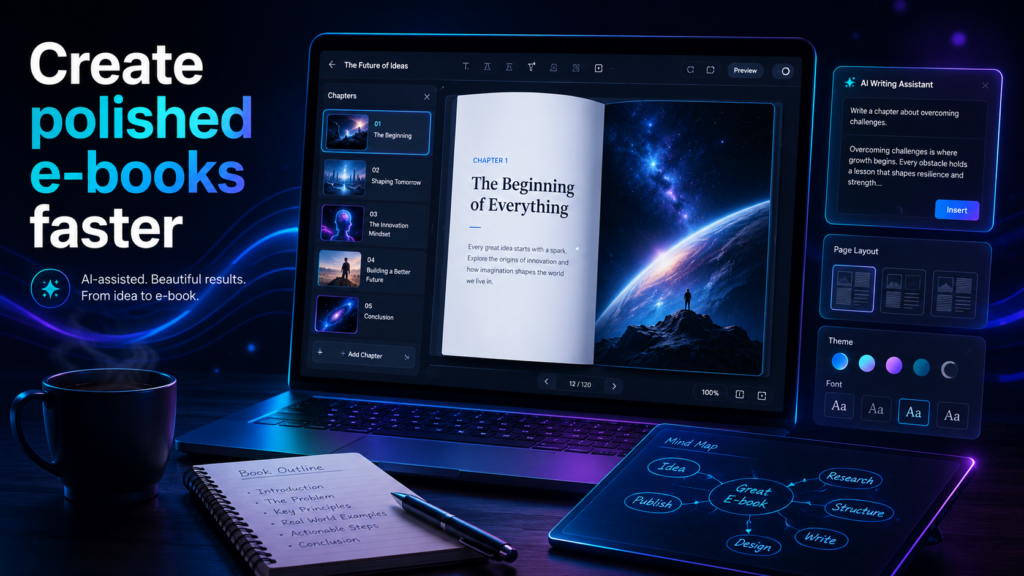
AI can make an E-book Creator workflow faster, but it should support the publishing process rather than replace judgment.
Useful AI tasks include:
- generating outline alternatives;
- organizing research notes;
- identifying missing questions;
- creating first-draft sections;
- rewriting unclear passages;
- generating examples;
- building checklists;
- suggesting transitions;
- checking consistency.
The important limit is evidence.
An E-book Creator should never allow AI to invent sources, statistics, quotations, customer experiences, research findings, or results simply because they make the text sound stronger.
For more controlled automation, the AI Workflow Designer can help separate research, drafting, review, and publishing into independent stages.
Draft One Chapter at a Time
Trying to produce an entire e-book from one prompt often creates shallow chapters and repeated ideas.
A stronger E-book Creator workflow treats each chapter as its own writing task.
Before drafting, provide:
- target reader;
- chapter purpose;
- main question;
- key facts;
- required examples;
- tone;
- previous chapter context;
- desired output structure.
A simple chapter workflow can be:
Brief → Research → Draft → Verify → Edit → Approve
For example:
Chapter Goal: Explain how to evaluate affiliate offers.
Required Sections:
- Audience relevance
- Commission model
- Product quality
- Conversion potential
- Decision checklist
Evidence Required: Verified program terms and current product information.
Action Step: Score three offers using the same criteria.
This gives the E-book Creator enough structure to produce useful content without relying on filler.
Edit for Clarity, Accuracy and Flow
The first draft should be treated as raw material.
A practical E-book Creator editing pass should remove:
- repeated ideas;
- vague claims;
- unnecessary introductions;
- weak examples;
- inflated language;
- unsupported statements;
- sections that do not support the book promise.
Then review the transitions between chapters.
A chapter may be strong on its own but still feel disconnected from the rest of the book.
Ask:
- Does this chapter follow logically from the previous one?
- Does it prepare the reader for the next step?
- Are examples consistent?
- Are important terms used consistently?
- Does the chapter contain a practical action?
Editing should make the book easier to use, not simply shorter.
Add Examples, Templates and Action Steps
Information becomes more useful when the reader can apply it.
A strong E-book Creator should include practical elements such as:
- templates;
- worksheets;
- checklists;
- mini case studies;
- scoring tables;
- action plans;
- examples;
- reflection questions.
For example:
| Element | Example |
|---|---|
| Chapter Goal | Choose a suitable affiliate offer |
| Input | 3 verified programs |
| Framework | Relevance, quality, payout, conversion |
| Output | Scored comparison table |
| Action | Select one offer for testing |
This turns theory into a repeatable process.
The E-book Creator should repeatedly ask:
What should the reader be able to do after this section?
Design for Reading, Not Decoration
Design should improve comprehension.
A professional E-book Creator should use a consistent visual system for:
- headings;
- subheadings;
- body text;
- tables;
- callout boxes;
- examples;
- images;
- page numbers;
- checklists;
- links.
Readable pages usually need enough whitespace, predictable spacing, consistent typography, and clear hierarchy.
Avoid adding decorative elements that compete with the content.
The goal is not to make every page visually busy.
The goal is to make information easy to scan and understand.
Create a Clear Cover Hierarchy
The cover should communicate the topic quickly.
A simple structure is:
Brand → Main Title → Supporting Message → Relevant Visual
The title should remain readable at thumbnail size.
A useful E-book Creator cover should avoid:
- crowded text;
- too many fonts;
- low contrast;
- unrelated stock imagery;
- small subtitles;
- visual elements that compete with the title.
The cover does not need to explain the whole book.
It only needs to communicate the subject and positioning clearly.
Prepare the Right Publishing Format
Different distribution channels require different formats.
PDF works well for fixed-layout guides, workbooks, reports, checklists, and downloadable resources.
EPUB is designed for reflowable books that adapt to different screen sizes.
Amazon KDP provides an official eBook Manuscript Formatting Guide for Kindle publishing.
The W3C EPUB 3.3 specification defines the technical EPUB standard.
Google Play Books also provides official file guidelines for EPUB and PDF uploads.
A practical E-book Creator should choose the format based on how the reader will use the resource, not simply export one file everywhere.
Build a Pre-Publishing Checklist
Before release, review the complete book.
Check:
- title and subtitle;
- cover;
- table of contents;
- chapter order;
- grammar;
- spelling;
- links;
- images;
- page numbers;
- formatting consistency;
- source references;
- file size;
- export quality;
- mobile readability.
The E-book Creator should test the finished file on more than one screen size.
A layout that looks good on desktop may still be uncomfortable on a phone or tablet.
Create a Landing Page for the Book
Publishing the file is only one part of distribution.
Readers still need to understand why the resource is useful.
A landing page should explain:
- what the book covers;
- who it is for;
- what problem it solves;
- what the reader will learn;
- what is included;
- what action to take.
Specific language usually works better than vague promotional claims.
For example:
37 pages of practical templates, workflows, and checklists
is more informative than:
An amazing guide for everyone.
A strong E-book Creator connects the final book with a clear conversion path.
For page structure, the Landing Page Copywriter can help organize benefits, proof, objections, and CTAs.
Plan Distribution Before Launch
Distribution should be planned before the final export.
Possible channels include:
- website;
- email list;
- search traffic;
- social media;
- YouTube;
- relevant communities;
- partnerships;
- digital marketplaces;
- lead-generation campaigns.
The E-book Creator should choose channels based on where the target reader already spends attention.
For launch planning, the Social Media Calendar can help organize messages, publishing dates, channels, and campaign cadence.
Measure What Happens After Publishing
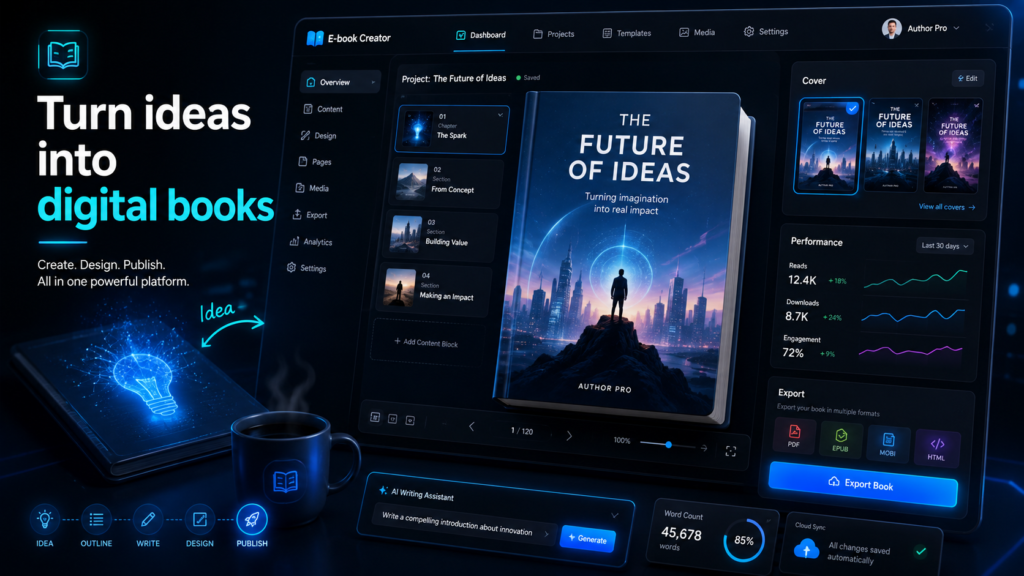
Publishing is not the end of the E-book Creator workflow.
After launch, track the signals connected to the purpose of the book.
Useful metrics can include:
- landing page views;
- downloads;
- email signups;
- sales;
- conversion rate;
- traffic sources;
- link clicks;
- reader feedback;
- revenue per visitor.
The most important metric depends on the goal.
A free lead magnet may focus on qualified email signups.
A paid guide may focus on purchases and conversion rate.
A brand-building resource may focus on downloads, referrals, and reader engagement.
The E-book Creator should avoid judging success only by total download volume. A smaller group of highly relevant readers can be more valuable than thousands of downloads from people who never use the resource.
Use Feedback to Improve Future Editions
Digital books can evolve.
A practical E-book Creator should record:
- repeated reader questions;
- confusing chapters;
- broken or outdated links;
- missing examples;
- sections readers mention positively;
- new research;
- updated tools or platforms.
If readers repeatedly ask the same question, add clarification.
If one chapter produces confusion, revise the structure.
If an external platform changes its publishing requirements, update the relevant instructions.
This makes the book a maintained resource rather than a static file.
Use the E-book Creator Master Prompt
Role:
Act as an E-book Creator and digital publishing assistant.

Target Reader:
[DESCRIBE THE SPECIFIC AUDIENCE]

Main Problem:
[WHAT PROBLEM DOES THE BOOK HELP SOLVE?]

Desired Outcome:
[WHAT SHOULD THE READER BE ABLE TO DO AFTER READING?]

Topic:
[DEFINE THE SUBJECT]

Knowledge Level:
[BEGINNER / INTERMEDIATE / ADVANCED]

Book Promise:
[WRITE THE ONE-SENTENCE PROMISE]

Research:
[LIST VERIFIED SOURCES, NOTES, OR EVIDENCE]

Required Chapters:
[LIST ANY MANDATORY SECTIONS]

Tone:
[DEFINE THE WRITING STYLE]

Publishing Format:
[PDF / EPUB / KINDLE / OTHER]

Rules:
- Do not invent statistics, sources, quotations, results, or personal experience.
- Flag claims that require verification.
- Keep every chapter connected to the main promise.
- Avoid repeating the same advice across chapters.
- Include practical examples and action steps where useful.
- Separate verified facts from assumptions.

Create:
1. Reader profile
2. Book promise
3. Chapter architecture
4. Chapter-by-chapter objectives
5. Research requirements
6. Drafting workflow
7. Editing checklist
8. Design recommendations
9. Publishing checklist
10. Distribution plan
11. Measurement plan
12. Final quality-control checklist
This E-book Creator prompt gives AI enough structure to assist with planning and drafting without giving it permission to invent evidence.
Create a 30-Day Production Plan
A practical first month can be divided into four stages.
Week 1 — Research and Plan
Define the reader, validate the topic, gather research, write the book promise, and create the chapter architecture.
Week 2 — Draft
Write chapter by chapter. Add examples, templates, checklists, evidence, and action steps.
Week 3 — Edit and Design
Verify claims, remove repetition, improve transitions, format the pages, create the cover, and review readability.
Week 4 — Publish and Promote
Export the final files, test them, prepare the landing page, publish the book, launch distribution, and begin tracking results.
The E-book Creator should treat this as a production framework, not a deadline that justifies rushing research or editing.
Run a Final E-book Quality Review
Before publishing, check:
- Is the target reader clearly defined?
- Does every chapter support the book promise?
- Are important claims verified?
- Are sources accurate and current?
- Are examples practical?
- Are repeated sections removed?
- Is the design consistent?
- Do links work?
- Is the file readable on smaller screens?
- Is the publishing format appropriate?
- Is the landing page ready?
- Is distribution planned?
- Are success metrics defined?
A reliable E-book Creator should make the final resource easier to understand, use, and maintain.
Build a Repeatable Publishing System
After the first project, save the strongest assets:
- reader brief;
- validation worksheet;
- chapter template;
- research checklist;
- editing checklist;
- design system;
- publishing checklist;
- landing page framework;
- distribution plan;
- analytics template.
The next E-book Creator project can then start from a tested system instead of an empty document.
That is where the workflow becomes more valuable over time: research, production, publishing, and improvement become repeatable rather than improvised.
Access the Complete E-book Creator Guide
The downloadable E-book Creator PDF is an optional companion to the complete framework explained on this page.
The article already includes audience research, topic validation, book positioning, chapter architecture, AI-assisted drafting, editing, practical examples, design, publishing formats, distribution, measurement, the Master Prompt, a 30-day production plan, and the final review checklist.
The PDF adds reusable worksheets, expanded chapter-planning templates, editing tools, production sheets, publishing exercises, and repeatable resources for future projects.
Help Us Create More Free Resources
Digital World Pulse creates practical guides, useful tools, and downloadable resources that are freely available to everyone. Every resource requires time, research, hosting, design, testing, and software.


If you found the E-book Creator useful, you can support our work through PayPal or Revolut. Your contribution is completely optional, and any amount—even the price of a coffee —helps us remain independent and continue creating useful resources.
Thank you for supporting Digital World Pulse and helping us continue this journey!
Our AI and technology content is developed through hands-on testing, official documentation review, product research, software evaluation, and workflow verification where applicable.
Where applicable, prompts, workflows, software features, and processes are tested directly before publication to verify how they work in real-world use.
Yes. AI tools and software platforms can change quickly, including interfaces, features, model capabilities, usage limits, and pricing.
Yes. AI-generated output can be incomplete, inconsistent, or inaccurate, so important results should be reviewed and verified by a human.
Articles may be updated when important changes occur to tools, interfaces, pricing, model capabilities, software behavior, or workflows.