
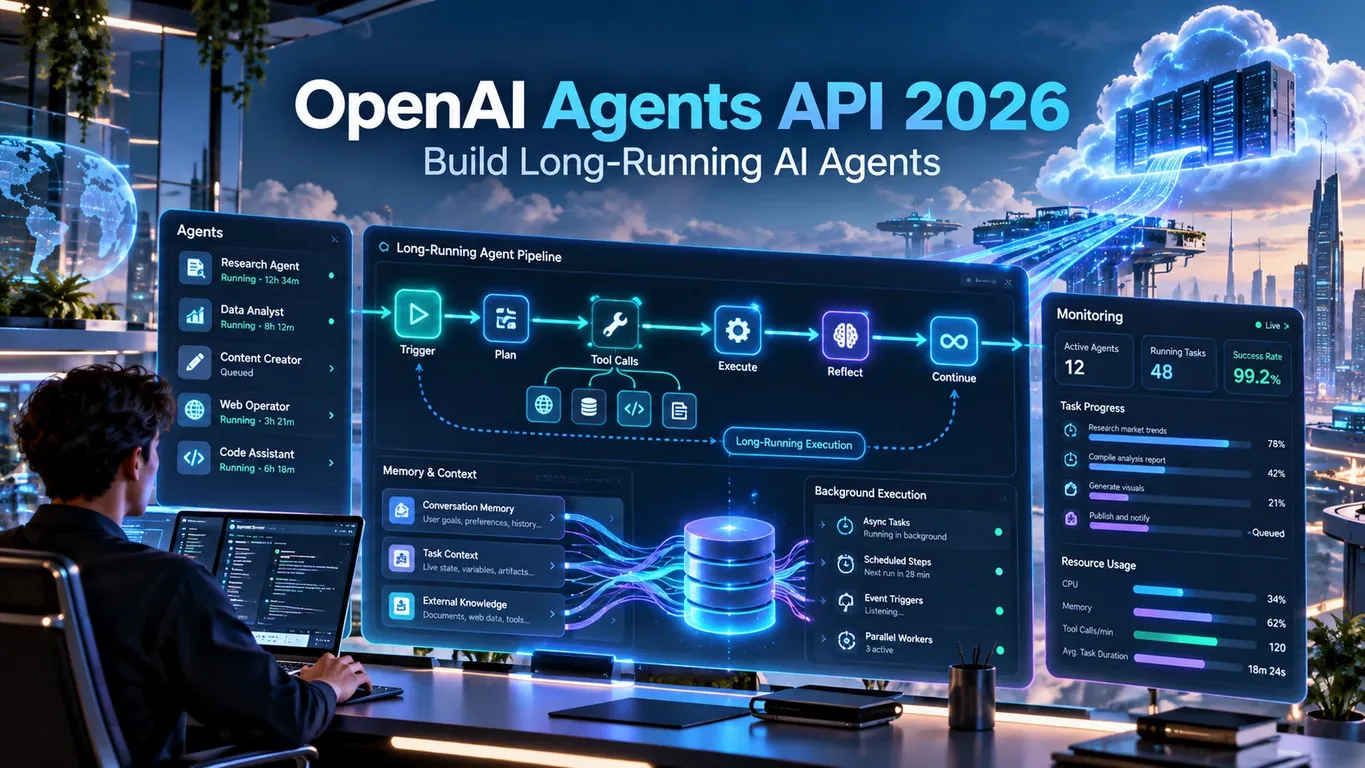
The OpenAI Agents API 2026 changes the way developers can think about AI applications. Instead of treating every model interaction as an isolated request that begins and ends within a few seconds, developers can build agents that preserve working context, perform multi-step tasks, use tools, operate inside controlled environments, recover from interruptions and continue working across multiple turns.
A conventional API call is useful when a user asks a question and expects an immediate answer. A long-running agent is designed for work such as researching a technical problem, auditing a project, creating or modifying files, investigating an issue across multiple systems, monitoring progress, coordinating specialist agents or completing workflows that cannot reliably fit inside one request.
The OpenAI Agents API 2026 is therefore better understood as a managed agent runtime rather than simply another text-generation endpoint. The application still controls identity, permissions, business rules and sensitive actions, while the agent runtime handles the ongoing execution loop and session state.
According to OpenAI’s current documentation, the Agents API centers on agents, environments, durable sessions and the events generated while work progresses. Sessions can continue across turns instead of forcing the application to reconstruct the full working conversation every time. OpenAI Developers
This guide explains how those pieces fit together, where long-running agents provide real value and which production patterns matter most when moving beyond a simple demo.
Why OpenAI Agents API 2026 Matters
The easiest way to understand the OpenAI Agents API 2026 is to compare a one-shot AI request with a real workflow.
A simple request might be:
Review this configuration file and explain the problem.The model reads the file, produces an answer and the interaction ends.
A durable agent task could instead look like this:
Audit this application for production reliability problems.

1. Inspect the project structure.
2. Review configuration files.
3. Identify dependency problems.
4. Run relevant diagnostics.
5. Investigate failed tests.
6. Create a prioritized remediation plan.
7. Wait for approval before changing files.
8. Apply only approved changes.
9. Run validation again.
10. Return the final result and unresolved risks.
That task contains investigation, tool use, decision-making, approval and verification.
The OpenAI Agents API 2026 is useful because the workflow can exist as a continuing unit of work rather than a collection of unrelated prompts. OpenAI’s current documentation specifically positions Agents API for long-running tasks where OpenAI manages the agent runtime and saves progress between turns. OpenAI Developers
The core idea is therefore not simply “make the model work longer.” It is to give long-running work a durable structure.
Protect your connection while working with AI development platforms, cloud dashboards, APIs and developer tools with NordVPN, especially on public or shared networks.
The Core Architecture of OpenAI Agents API 2026
A practical OpenAI Agents API 2026 implementation revolves around four concepts: Agent, Session, Environment and Events or Items. OpenAI-Agents-API-2026-Long-Run…
Agent
The Agent represents reusable behavior.
It can define the model, instructions, tools and other capabilities required for a type of job. Instead of repeatedly creating the same operational rules, you can reuse an agent configuration across multiple sessions.
A production instruction could look like this:
You are a production task agent.

Goal:
Complete the assigned task accurately and leave a clear audit trail.

Operating rules:

1. Break complex work into explicit steps.
2. Use only the tools required for the current task.
3. Verify external facts before relying on them.
4. Never invent missing files, results or tool output.
5. Stop before irreversible actions and request approval.
6. Record tool failures instead of hiding them.
7. At completion return:
   - outcome
   - supporting evidence
   - files changed
   - unresolved risks
   - recommended next action
That is more useful than telling a long-running agent only to “be helpful.”
The OpenAI Agents API 2026 works better when success criteria and authority boundaries are explicit from the beginning.
Session
A Session is the durable instance in which work occurs.
OpenAI documents sessions as preserving agent configuration, conversation and saved work over time. A follow-up message can therefore continue an existing task rather than starting a completely separate workflow. OpenAI Developers
Your application might store:
job_id: audit_48291
user_id: customer_174
agent_session_id: sess_xxxxx
status: investigating
The session provides working continuity.
Your own database should still remain the system of record for business state.
Environment
The Environment controls where the agent can work with files and execute commands.
The PDF describes three broad choices: no execution environment, OpenAI-hosted compute or self-hosted infrastructure. OpenAI-Agents-API-2026-Long-Run…
Environment choice is not only a convenience decision. It is also a security decision.
A research agent may need tools but no shell. A coding agent may need an isolated filesystem and command execution. An enterprise workflow may need access to a private network through a self-hosted sandbox.
Events and Items
Events and items describe what happens while work is running.
They can represent input, progress, tool activity, output and state changes. This makes it possible to build interfaces that show what the agent is doing rather than displaying a spinner for several minutes.
Durable Sessions in OpenAI Agents API 2026
Durable sessions are one of the most important parts of OpenAI Agents API 2026.
Suppose an agent has already spent several minutes analyzing a project.
The user then changes the scope:
Keep everything already completed.

Stop investigating the legacy integration.

Focus only on the production API and background workers.

Do not restart the audit.

Before the next external action,
summarize the revised plan.
The existing session can continue with the updated instruction.
That is much closer to how a human specialist works.
The PDF recommends persisting session IDs in the application database and continuing the same session for follow-up work rather than automatically creating another session for every message. OpenAI-Agents-API-2026-Long-Run…
A useful mental model is:
One meaningful job
        ↓
One durable session
        ↓
Multiple turns
        ↓
Validated outcome
A new session may still make sense when there is a new user, new security boundary, different permissions or a completely separate objective.
The point is not to reuse sessions forever. It is to avoid destroying useful working continuity without a reason.
Long-Running Turns and Asynchronous Work
The OpenAI Agents API 2026 supports asynchronous turns. OpenAI’s documentation states that a turn is one cycle of work inside a session and that turns can continue asynchronously while progress is followed through streaming or webhooks. OpenAI Developers
This matters for jobs that take longer than a typical HTTP request.
Consider a document-analysis workflow:
Review all uploaded contracts.

For every contract:

1. identify renewal terms;
2. identify termination requirements;
3. summarize liability provisions;
4. compare governing-law clauses;
5. flag clauses requiring specialist review.

Create a comparison report.

Do not modify the original documents.
The user should not need to keep the same browser request alive while the agent works through every file.
A well-designed OpenAI Agents API 2026 application can persist the job, display progress and return when the task has completed or needs additional input.
There is an important quality-control rule here:
An idle session is not automatically proof that the task succeeded.
The guide explicitly warns that a completed turn still requires output inspection because individual tools may have failed or returned incomplete information. OpenAI-Agents-API-2026-Long-Run…
Steering Work Without Starting Again
Long-running work often changes while it is happening.
The OpenAI Agents API 2026 allows active work to be steered instead of always throwing away existing progress.
A steering instruction might say:
Priority update:

- Keep all completed analysis.
- Stop reviewing the legacy deployment path.
- Focus on the current Kubernetes production environment.
- Preserve every artifact already created.
- Do not make destructive changes.
- Before continuing, summarize the new plan in five bullets.
The benefit is obvious: previous work remains useful.
The guide recommends steering when priorities, constraints or scope change, while cancellation makes more sense when continuing would be unsafe or unnecessarily expensive. OpenAI-Agents-API-2026-Long-Run…
That distinction helps the OpenAI Agents API 2026 behave more like an ongoing worker and less like a disposable prompt.
🛠️ Explore More Software Tools
Discover practical software solutions for productivity, development, content, and digital workflows with Wondershare.
Explore Wondershare ToolsAffiliate disclosure: We may earn a commission if you purchase through this link, at no extra cost to you.
Streaming and Webhooks
A production OpenAI Agents API 2026 application needs visibility into ongoing work.
Streaming and webhooks solve different parts of that problem.
Streaming for the User Interface
Streaming is useful when the user is actively watching.
A UI could display:
Inspecting project files...
Checking dependency versions...
Running diagnostics...
Reviewing failed tests...
Building remediation plan...
Validating final artifacts...
This gives the user feedback without pretending that every operation finishes instantly.
Webhooks for Durable Backend Reactions
Webhooks are useful when your backend needs to react even when nobody is actively connected.
For example:
session created
      ↓
work begins
      ↓
approval required
      ↓
backend validates action
      ↓
agent resumes
      ↓
session completes
For OpenAI Agents API 2026, a practical rule is:
Streaming = live progress

Webhooks = durable backend automation
Webhook processing should also be idempotent. If the same event is delivered again, the application should not accidentally create duplicate compute resources or repeat the same external action.
Choosing the Right Environment
The safest environment for OpenAI Agents API 2026 is usually the smallest one capable of completing the task.
No Sandbox
A research agent might receive:
Research five public analytics platforms.

Compare:
- authentication;
- pricing model;
- API availability;
- rate limits;
- webhook support.

Return a comparison table with sources.

Do not execute local commands.
There is no obvious reason to provide that task with unrestricted shell access.
OpenAI-Hosted Environment
A data agent might instead receive:
Inspect the uploaded CSV files.

1. validate each schema;
2. find malformed rows;
3. identify duplicate IDs;
4. calculate summary statistics;
5. create cleaned copies;
6. preserve the originals;
7. produce a validation report.
This workflow genuinely benefits from a filesystem and executable environment.
Self-Hosted Environment
Self-hosting can be useful when OpenAI Agents API 2026 must work with private networks, custom software, proprietary environments or infrastructure that cannot be placed inside a hosted sandbox.
But additional control creates additional responsibility.
Provisioning, lifecycle management, isolation and access policies now become part of your architecture.
Tools, MCP and External Systems
Tools make the OpenAI Agents API 2026 much more capable, but every added capability also increases the possible impact of a mistake.
The guide recommends narrow and auditable tools rather than a single all-powerful function. OpenAI-Agents-API-2026-Long-Run…
Compare:
do_everything(action, options)with:
read_customer_record(customer_id)
create_support_draft(ticket_id)
request_refund_review(order_id)
The second design is easier to inspect and authorize.
A support-agent prompt could say:
You MAY:
- read support tickets;
- read order data;
- search the approved help center;
- draft responses.

You MAY NOT:
- issue refunds;
- cancel accounts;
- change account ownership;
- send messages externally.

If a restricted action becomes necessary,
return:

1. requested action;
2. reason;
3. affected account;
4. supporting evidence;
5. required approval.
This makes the authority boundary visible to both the agent and the application.
Function Calls as Approval Gates
One of the strongest production patterns in OpenAI Agents API 2026 is using application-run functions as approval gates.
Suppose an agent concludes that an order should be refunded:
Recommended action:
Refund order #48129.

Evidence:
Delivery failed and the order meets refund policy.

Requested function:
issue_refund(
    order_id="48129",
    amount="49.00"
)
The server should not simply trust the request.
It can check:
Is the current user authorized?
Has this order already been refunded?
Does the amount match the transaction?
Does policy require human review?
Is this request associated with the correct session?
Only after validation does the trusted application perform the action.
The PDF specifically frames this model as an authorization boundary for destructive, financial, external-communication and privilege-changing actions. OpenAI-Agents-API-2026-Long-Run…
That is a key difference between a useful OpenAI Agents API 2026 agent and an agent with uncontrolled authority.
Multi-Agent Orchestration
The OpenAI Agents API 2026 can delegate independent work to subagents.
A technical investigation might look like this:
Root agent
│
├── Security reviewer
├── Dependency investigator
├── Test-failure analyst
└── Documentation reviewer
A useful orchestration prompt could be:
You are the lead technical investigator.

Delegate only independent tasks.

Subagent A:
Review dependency and supply-chain risks.

Subagent B:
Review test failures and reliability issues.

Subagent C:
Review deployment configuration.

Rules:
- Do not duplicate assignments.
- Do not let subagents edit the same files concurrently.
- Require evidence for every major finding.
- Reconcile conflicting findings.
- Keep dependent decisions in the root agent.
The goal is not to maximize the number of agents.
The guide makes the more useful point: parallelism improves throughput only when tasks are genuinely independent. OpenAI-Agents-API-2026-Long-Run…
For OpenAI Agents API 2026, unnecessary subagents can increase cost, duplicate work and make debugging harder.
Context, Memory and Compaction
Long-running agents inevitably accumulate context.
The OpenAI Agents API 2026 managed runtime handles session state and context compaction, but the agent conversation should not become your application’s only database. OpenAI-Agents-API-2026-Long-Run…
Separate:
What the agent remembersfrom:
What the product guaranteesFor example, if an external order is submitted, do not rely only on an agent message saying:
Order submitted successfully.Persist the actual record:
transaction_id: PO-92814
approved_by: user_482
session_id: sess_xxxxx
status: submitted
timestamp: 2026-09-29T09:42:00Z
This remains available after compaction, recovery or a long delay.
The OpenAI Agents API 2026 session is operational context. Your database remains durable product state.
Observability and Usage
A long-running agent behaves more like a distributed workflow than a traditional chatbot.
A production OpenAI Agents API 2026 application should be able to connect:
user_id
job_id
request_id
session_id
tool call
artifact
final outcome
Imagine a user reports:
The agent stopped before finishing my task.Without correlation identifiers and logs, investigating that problem becomes guesswork.
Useful observability includes:
- session state;
- turn outcomes;
- tool calls;
- errors;
- subagent activity;
- latency;
- usage;
- generated artifacts;
- application-side actions.
The guide recommends combining agent telemetry and application telemetry because neither side alone explains the entire workflow. OpenAI-Agents-API-2026-Long-Run
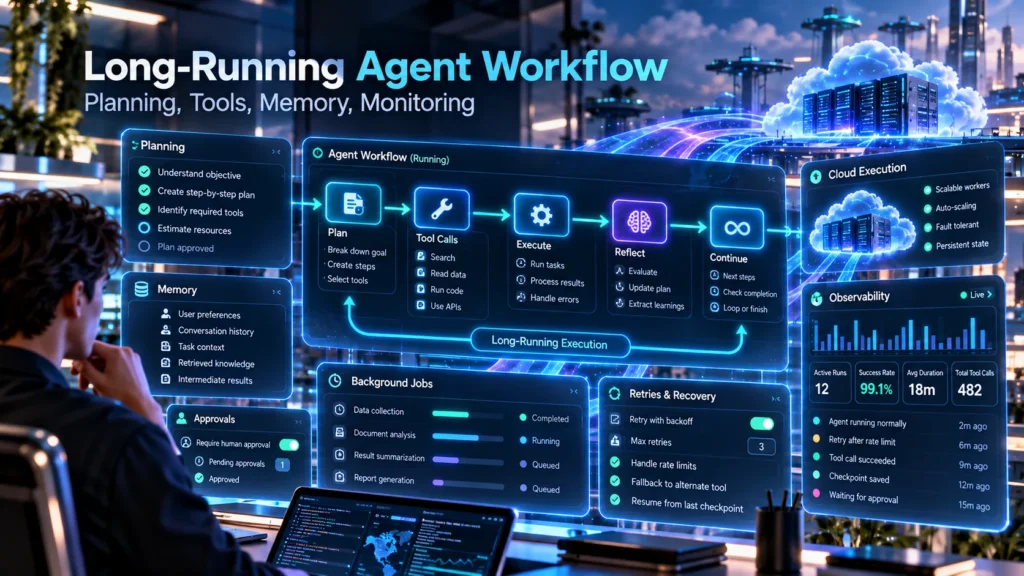
Security, Sandboxing and Secrets
Security becomes more important as the OpenAI Agents API 2026 receives more capabilities.
An agent that only generates text has a relatively small authority surface.
An agent that can execute code, read files, access a network and request external actions has a much larger one.
The basic principle should therefore be least privilege.
Do not expose a production credential simply because one tool needs limited access.
Do not provide unrestricted network access when only two approved endpoints are required.
Do not let unrelated sensitive workloads share the same environment without an explicit reason.
The PDF gives a particularly useful rule: assume generated code can read files and environment values that are available inside its sandbox. OpenAI-Agents-API-2026-Long-Run…
A safe OpenAI Agents API 2026 architecture starts by deciding what the agent should not be able to access.
Recovery and Failure Handling
Durable does not mean infallible.
An OpenAI Agents API 2026 workflow can still encounter:
- unavailable APIs;
- tool failures;
- invalid generated code;
- network interruptions;
- failed environments;
- incomplete artifacts;
- cancellation;
- authorization errors.
Recovery should therefore be part of the design.
A useful prompt is:
If a tool fails:

1. record the exact error;
2. decide whether one safe retry is appropriate;
3. never blindly repeat an external side effect;
4. try an alternative only when it preserves task constraints;
5. stop and report the blocker when recovery is uncertain.
Avoid instructions such as:
Keep trying until it works.Unbounded retries can waste tokens and, more importantly, repeat actions that should happen only once.
Idempotency for Real-World Actions
Suppose an agent requests:
create_invoice(
    customer_id=194,
    amount=900
)
The function succeeds, but the confirmation response is lost.
Calling it again blindly could create a second invoice.
Your application should use transaction IDs or idempotency keys so repeated requests cannot duplicate the real-world effect.
The guide emphasizes the same principle: the safest retry is one that cannot accidentally repeat an external action. OpenAI-Agents-API-2026-Long-Run…
Practical OpenAI Agents API 2026 Production Workflow
A useful production pattern can be kept relatively simple.
Step 1: Define the Objective
Do not start with:
Look at this project.Use:
Audit this Python project for production reliability issues.

Deliverables:

1. list confirmed problems;
2. provide evidence for each finding;
3. rank fixes by operational impact;
4. create a remediation plan;
5. identify unresolved uncertainty;
6. do not modify files without approval.
Step 2: Create and Persist the Session
Treat the session as the durable unit for that job.
Save its ID alongside your application’s own job record.
Step 3: Give Minimum Required Access
If the agent needs no shell, do not provide one.
If the agent needs only two external services, do not provide broad network access without a reason.
Step 4: Follow Progress
Use streaming for user-visible progress and webhooks for backend lifecycle handling.
Step 5: Gate Sensitive Actions
Keep destructive, financial or externally visible actions behind application authorization.
Step 6: Validate the Result
A completed OpenAI Agents API 2026 turn does not replace product validation.
If the agent generated code, run the tests.
If it generated JSON, validate the schema.
If it created a file, open it.
If it requested an external transaction, confirm the actual external state.
Three Practical OpenAI Agents API 2026 Examples
Codebase Investigation Agent
Investigate this repository for the cause of the failed deployment.

Phase 1:
Inspect configuration, logs and dependency versions.

Phase 2:
Identify the most likely root causes and provide evidence.

Phase 3:
Propose the smallest safe change.

Do not modify files yet.

Wait for approval.

After approval:
apply only the approved change,
run the relevant tests,
and report the actual results.
This pattern separates investigation from modification.
Research Agent
Research the requested market topic using current sources.

Requirements:
- distinguish verified facts from estimates;
- record sources for important claims;
- identify conflicting evidence;
- explain uncertainty;
- create a structured research report;
- do not publish anything externally.
A later turn can continue:
Keep the existing research.

Expand only the competitor section.

Do not repeat the market overview.
This is exactly the kind of continuation that makes OpenAI Agents API 2026 durable sessions useful.
Data Quality Agent
Audit the uploaded datasets.

For each file:

1. identify schema inconsistencies;
2. find missing required values;
3. detect duplicate records;
4. summarize suspicious outliers;
5. create a cleaned copy;
6. preserve the original.

At completion:
return a validation report
and list every artifact created.
This combines files, execution, validation and durable context without giving the agent unnecessary authority.
Common OpenAI Agents API 2026 Mistakes
Giving the Agent Unlimited Authority
Avoid:
Use any tool you need and fix everything.Explicit boundaries are safer and easier to debug.
Creating a New Session for Every Message
If the user is continuing the same job, continuing the existing session may preserve useful work and reduce duplication.
Using Conversation Context as Your Only Database
The OpenAI Agents API 2026 session is useful working context. Important product state belongs in durable application storage.
Blindly Retrying Functions
Any external side effect should be designed with duplicate execution in mind.
Treating Completion as Proof of Correctness
A tool may fail even when the overall turn reaches completion.
Validate the important artifacts independently.
Using Too Many Subagents
Delegate only when independent work genuinely benefits from parallel execution.
OpenAI Agents API 2026 Production Checklist
Before launching, review a checklist like this:
[ ] Session IDs are persisted

[ ] Important business state exists outside the conversation

[ ] Tools follow least-privilege access

[ ] Sensitive functions require approval

[ ] Secrets are not stored inside prompts

[ ] Network access is restricted where practical

[ ] Webhook handlers are idempotent

[ ] Failure and cancellation paths are tested

[ ] External side effects have duplicate protection

[ ] Final artifacts are validated

[ ] Agent and application telemetry can be correlated

[ ] Sensitive workloads use appropriate isolation
The production blueprint in the Digital World Pulse PDF follows the same division of responsibility: the application owns identity and authorization, the Agents API owns durable execution and the environment provides bounded compute. OpenAI-Agents-API-2026-Long-Run…
For current implementation details, use the official OpenAI documentation:
Those are the two external sources for this article, both using the clean official URLs.
Final Thoughts on OpenAI Agents API 2026
The main value of the OpenAI Agents API 2026 is not simply that an AI model can stay active for longer.
Its value comes from structuring complex AI work around durable sessions, controlled environments, observable progress, explicit tool permissions, approval gates and predictable recovery behavior.
That gives developers a practical foundation for agents that can investigate problems, work with files, use tools, delegate independent tasks, adapt when priorities change and continue a workflow without restarting every time the user sends another message.
At the same time, durable execution should not be confused with unlimited autonomy.
A robust OpenAI Agents API 2026 application should still keep critical responsibilities outside the agent: authentication, authorization, durable business state, sensitive credentials, transaction integrity, destructive actions and final output validation.
The agent performs bounded work.
The application controls the boundaries.
That distinction is what turns the OpenAI Agents API 2026 from an interesting technical demo into a system that can be operated, inspected and improved in production.
More AI Guides and Related Resources
If you are working on AI search visibility alongside the OpenAI Agents API 2026, continue with our Google AI Overviews SEO 2026 guide.
For a broader approach to visibility inside AI-driven search experiences, see AI Search Optimization 2026.
For practical workflow automation and reusable productivity examples, explore ChatGPT Prompts for Excel 2026.
If you want a simpler introduction before implementing the OpenAI Agents API 2026, start with AI Agents for Beginners 2026.
Developers focused on autonomous software workflows can also continue with AI Coding Agents in 2026.
Access the Complete OpenAI Agents API 2026 Guide
The full Digital World Pulse OpenAI Agents API 2026 PDF expands this article into a structured 20-page developer guide.
It covers durable sessions, long-running turns, streaming and webhooks, environment selection, tools and MCP, production system prompts, multi-agent orchestration, approval gates, active-work steering, context management, observability, sandbox security, recovery patterns and a practical production blueprint. OpenAI-Agents-API-2026-Long-Run…
The guide also includes implementation notes, reusable prompt patterns and a production launch checklist designed to help developers think through permissions, recovery, secrets, validation and session lifecycle before deploying long-running agents.

Help Us Create More Valuable Resources
Digital World Pulse creates practical guides, in-depth analysis, useful tools, and downloadable resources available to everyone. Every article and resource requires time, research, hosting, and ongoing development.


If you found our content helpful, you can support our work through PayPal or Revolut. Your contribution is completely optional, and any amount—even the price of a coffee —helps us remain independent and continue creating useful, high-quality resources.
Thank you for supporting Digital World Pulse and helping us keep improving what we create.
Our AI and technology content is developed through hands-on testing, official documentation review, product research, software evaluation, and workflow verification where applicable.
Where applicable, prompts, workflows, software features, and processes are tested directly before publication to verify how they work in real-world use.
Yes. AI tools and software platforms can change quickly, including interfaces, features, model capabilities, usage limits, and pricing.
Yes. AI-generated output can be incomplete, inconsistent, or inaccurate, so important results should be reviewed and verified by a human.
Articles may be updated when important changes occur to tools, interfaces, pricing, model capabilities, software behavior, or workflows.