
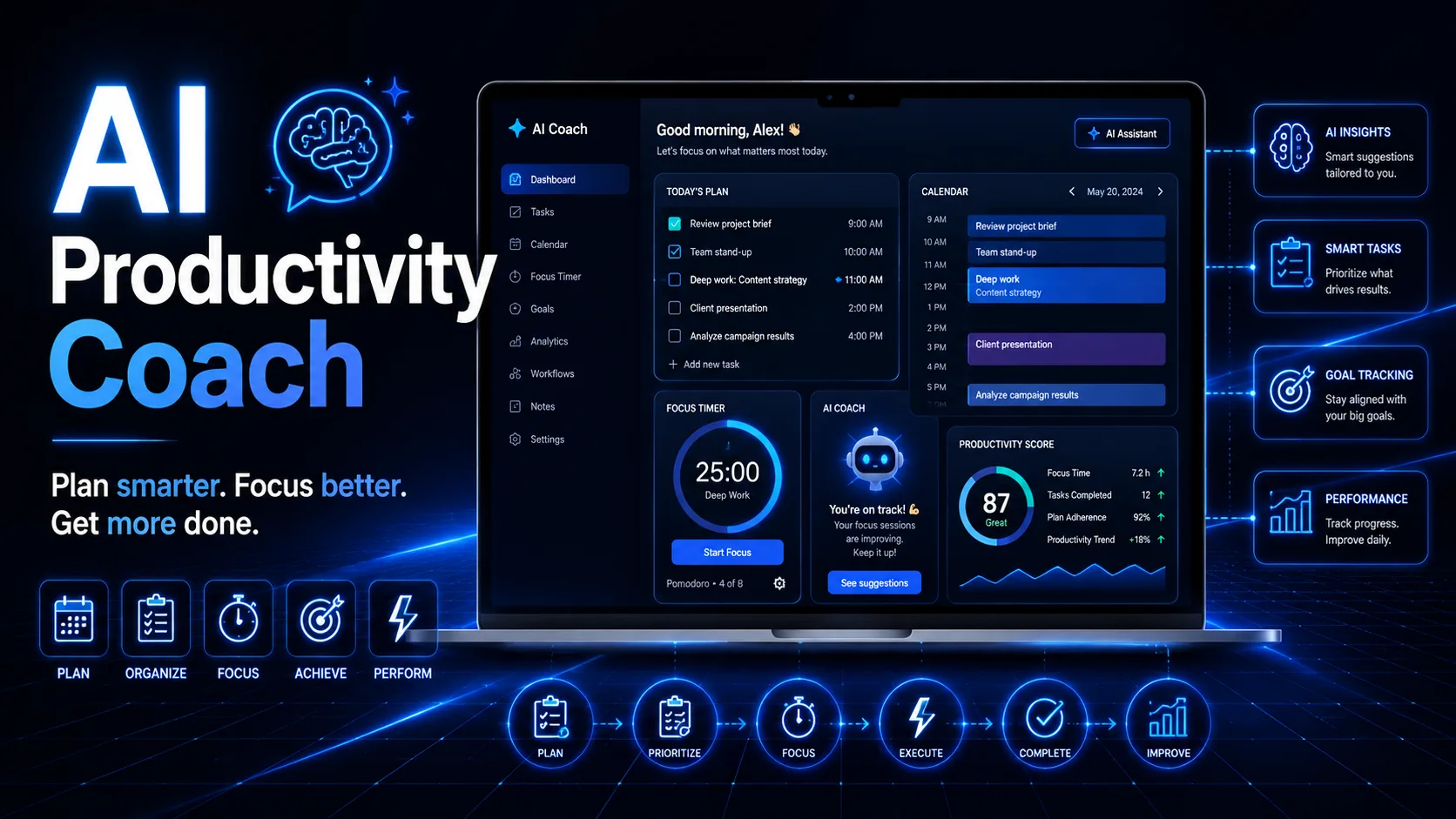
An AI Productivity Coach should do more than generate a longer to-do list. A useful productivity system starts with clear priorities, realistic capacity, protected focus time, and a better understanding of where your attention actually goes during the day.
The goal of an AI Productivity Coach is to help organize work, reduce unnecessary decisions, identify what deserves attention first, and create a structure that can adapt when plans change. AI can support planning, prioritization, review, and workflow improvement, while the final decisions still remain under human control.
What Is an AI Productivity Coach?
An AI Productivity Coach is a structured AI-assisted workflow for managing tasks, priorities, schedules, focus periods, recurring work, and performance reviews.
A practical system can look like:
Goals → Priorities → Capacity → Schedule → Focus → Execution → Review → Improve
Each stage solves a different productivity problem.
Goals define what matters.
Priorities determine what deserves attention first.
Capacity shows how much work can realistically fit into the available time.
Schedule turns intentions into actual time blocks.
Focus protects important work from unnecessary interruption.
Execution moves projects forward.
Review identifies what worked and what failed.
Improvement adjusts the system based on real experience.
A strong AI Productivity Coach connects these stages instead of simply generating another list of tasks.
Start With Clear Productivity Outcomes
Before creating schedules or testing new tools, define what productivity should improve.
Possible outcomes include:
- finishing important projects faster;
- reducing overdue tasks;
- creating more uninterrupted work time;
- spending less time on repetitive administration;
- reducing context switching;
- improving weekly consistency;
- protecting time for strategic work.
Compare:
I want to be more productive.
with:
I want to complete three important project outcomes this week while protecting two focused work blocks each day.
The second objective gives the AI Productivity Coach something concrete to organize around.
Good productivity planning starts with outcomes, not activity.
Audit the Workload Before Planning the Day
Many planning systems fail because they start with scheduling before understanding the workload.
Begin by sorting current work into practical categories.
| Work Type | What It Includes |
|---|---|
| Core Work | Tasks directly connected to important outcomes |
| Maintenance | Necessary work that keeps projects operating |
| Noise | Low-value work that consumes attention |
| Leverage | Tasks that could be automated, templated, delegated, or simplified |
This audit can reveal whether the real problem is poor planning or simply too much work.
For example, a person may believe they need stronger discipline when the real issue is:
- too many active projects;
- unclear priorities;
- excessive meetings;
- repetitive administration;
- constant interruptions;
- unrealistic deadlines.
An AI Productivity Coach becomes more useful when it receives this context before suggesting a schedule.
For recurring processes, the AI Workflow Designer can help map repetitive work and identify opportunities for automation or simplification.
Build a Priority System That Forces Choices
Long task lists create the illusion that everything matters equally.
It does not.
A practical AI Productivity Coach should help separate important work from merely visible work.
A simple method is:
Top 1
The single outcome that matters most today.
Top 3
The three results that would make the day successful.
Secondary Tasks
Useful work that can wait if capacity changes.
This creates a clear hierarchy.
Instead of repeatedly asking:
What should I do next?
the decision has already been made.
You can also evaluate tasks using:
- impact;
- urgency;
- deadline;
- dependency;
- effort;
- strategic relevance.
The point is not to create a complicated scoring system.
The point is to avoid treating every request, notification, and unfinished task as equally important.
Turn Large Goals Into Clear Next Actions
Large projects often create friction because the next step is unclear.
For example:
Launch new website.
is an outcome, not a useful task.
A better breakdown is:
Outcome: Launch the website.
Milestone: Complete the homepage.
Next Action: Draft the homepage value proposition.
Blocker: Final positioning still needs approval.
This gives the AI Productivity Coach enough structure to suggest realistic next steps.
Clear actions reduce hesitation.
Instead of asking AI to:
Help me finish this project.
give it the current stage, the unfinished work, the blockers, and the desired outcome.
That makes the output more practical.
Use Capacity Before Building the Schedule
Planning should start with available time.
If you have six realistic work hours, the plan should not require ten.
Before creating the daily schedule, define:
- available work hours;
- fixed meetings;
- deadlines;
- deep-work requirements;
- communication obligations;
- buffer time;
- recovery periods.
A reliable AI Productivity Coach should identify tradeoffs when the workload exceeds capacity.
It should not pretend that every task can fit.
For example:
Available time: 6 hours
Meetings: 1.5 hours
Admin: 1 hour
Real focus capacity: approximately 3.5 hours
That calculation changes the plan completely.
The schedule should reflect reality rather than wishful thinking.
Protect Focus Time With Time Blocking
A task list shows what you want to do.
A calendar shows whether you have space to do it.
Time blocking assigns specific periods to specific types of work.
For example:
09:00–10:30 — Deep Work
Draft important project section.
11:00–11:30 — Communication
Email and messages.
13:00–14:00 — Project Review
Analyze campaign or client work.
16:00–16:30 — Administration
Updates and small recurring tasks.
Tools such as Google Calendar can support this workflow, but the tool itself matters less than protecting enough uninterrupted time for meaningful work.
The AI Productivity Coach can help arrange those blocks around deadlines, meetings, priorities, and available energy.

Match Important Work to Your Energy
Not every hour has the same value.
Many people have periods when concentration, creativity, and decision-making are easier. Instead of spending those periods on email or routine administration, reserve them for work that requires deeper thinking.
A practical AI Productivity Coach can help classify tasks by energy demand.
High Energy
Writing, strategy, problem solving, important decisions.
Medium Energy
Meetings, reviews, collaboration, structured execution.
Low Energy
Routine administration, file organization, simple updates.
This makes the schedule more realistic because it considers not only available time, but also the type of attention each task requires.
Create a Repeatable Deep-Work Routine
Deep work is easier when the starting process is consistent.
A simple routine can be:
- Close unnecessary tabs.
- Silence nonessential notifications.
- Define the exact result for the session.
- Choose one task.
- Set a realistic focus period.
- Record the next action before stopping.
The AI Productivity Coach can help define the goal for each session so you do not waste the first part of the block deciding what to do.
For example:
Draft the first 800 words of the article introduction and framework section.
is much clearer than:
Work on article.
Specific outcomes make focus blocks easier to start and easier to evaluate.
Reduce Digital Distractions
Productivity is often lost through repeated small interruptions.
Common distractions include:
- email notifications;
- messaging apps;
- browser alerts;
- social feeds;
- unnecessary tabs;
- frequent task switching.
The objective is not to create a perfect environment.
It is to reduce the number of interruptions competing with important work.
Useful changes can include:
- disabling nonessential notifications;
- using full-screen work;
- placing the phone away from the desk;
- grouping communication into specific windows;
- using separate browser profiles for work and personal activity.
An AI Productivity Coach can help build these rules into the daily schedule so focus is protected by the system rather than by constant willpower.
Create a Simple Daily Planning Routine
Daily planning should be short enough to repeat consistently.
A useful structure is:
Top Priority
What is the most important result today?
Top 3 Tasks
Which three outcomes matter most?
Focus Blocks
When will the most demanding work happen?
Communication Window
When will messages and email be checked?
Buffer
Where is time reserved for unexpected work?
Fallback Plan
What can move if the day changes?
A good AI Productivity Coach can turn meetings, deadlines, open tasks, and available hours into a realistic plan without pretending that everything fits.
Plan the Week Before It Becomes Urgent
Daily productivity improves when it is connected to weekly priorities.
At the beginning or end of the week, review:
- active projects;
- upcoming deadlines;
- fixed meetings;
- unfinished work;
- available focus time;
- important outcomes;
- likely interruptions.
Then choose a small number of weekly results.
This helps prevent the schedule from being dominated by whatever appears most urgent each morning.
For example:
Weekly Outcome 1: Finish article series.
Weekly Outcome 2: Complete campaign review.
Weekly Outcome 3: Prepare client presentation.
The AI Productivity Coach can then break those outcomes into daily actions instead of treating every task as an isolated priority.
Batch Communication and Administrative Work
Constant communication creates repeated context switching.
When possible, group similar tasks.
For example:
10:30 — Email
14:30 — Messages
16:30 — Final Communication Check
The exact schedule depends on the job.
Some roles require immediate responses. Others do not.
The principle is to avoid letting communication interrupt every focus block.
This is especially useful when the AI Productivity Coach is helping build a daily plan around deep work.
Automate Repetitive Work
Some productivity problems should not be solved through more discipline.
They should be removed.
Look for tasks that repeat frequently:
- recurring emails;
- reporting;
- reminders;
- file organization;
- content formatting;
- meeting summaries;
- document preparation;
- task routing.
If the process is stable, automation may reduce the workload.
The AI Productivity Toolkit provides additional ideas for combining AI tools with practical productivity workflows.
A strong AI Productivity Coach should identify where automation saves meaningful time instead of simply adding another productivity tool.
Use AI as a Planning Assistant
AI becomes more useful when the prompt contains real constraints.
Provide:
- priorities;
- deadlines;
- meetings;
- available work hours;
- energy level;
- blockers;
- unfinished tasks;
- recurring commitments.
Example:
I have six available work hours today. My highest priority is completing the landing page. I also have a meeting at 13:00, three emails that require replies, and analytics to review. Build a realistic schedule with two focus blocks and one buffer period.
That gives the AI Productivity Coach enough information to create a useful plan.
Without constraints, AI may produce a schedule that looks organized but does not fit reality.
Use AI to Reduce Information Overload
Productivity is not only about task management.
It also involves processing information efficiently.
AI can help:
- summarize documents;
- organize notes;
- compare options;
- extract action items;
- prepare questions;
- group information by topic;
- create decision frameworks.
The AI Research Assistant can support this part of the workflow when large amounts of information need to be reviewed before making decisions.
The AI Productivity Coach should reduce cognitive load while leaving verification and important judgment to the user.
Handle Procrastination by Finding the Friction
Procrastination is not always caused by low motivation.
Sometimes the task is:
- unclear;
- too large;
- poorly timed;
- boring;
- missing information;
- dependent on another person;
- blocked by perfectionism.
Instead of asking:
Why am I avoiding this?
ask:
What makes this difficult to start?
Then reduce that friction.
If the task is too large, shrink it.
If it is unclear, define the next action.
If information is missing, identify exactly what is needed.
If perfectionism is blocking progress, create a rough first version.
A practical AI Productivity Coach can help diagnose this friction and suggest a smaller starting point.
Track Only the Metrics That Help
Tracking can improve productivity, but measuring everything can become another distraction.
Focus on a few useful indicators:
Important Outcomes Completed
Did meaningful work get finished?
Focus Time
How much uninterrupted work happened?
Open Commitments
Is the workload growing or shrinking?
Energy
Is the current system sustainable?
Weekly Progress
Are major projects actually moving?
The goal is not to create perfect numbers.
The goal is to notice useful patterns.

Review the System Instead of Rebuilding It
A productivity system should change when reality changes.
At the end of the week, use your AI Productivity Coach to review:
What worked?
Which routines, tools, focus blocks, or planning decisions helped?
What failed?
Where did the schedule break down?
Why did it fail?
Was the problem unrealistic capacity, unclear priorities, interruptions, missing information, or too many active projects?
What should continue?
Keep the parts that consistently help.
What should change?
Adjust only the weakest parts instead of rebuilding the entire system.
A good AI Productivity Coach should help you improve the workflow gradually rather than encouraging a completely new productivity method every few days.
Use the Master AI Productivity Coach Prompt
Role:
Act as an AI Productivity Coach, prioritization strategist, workflow planner, and productivity reviewer.

Main Goals:
[INSERT GOALS]

Active Projects:
[INSERT PROJECTS]

Deadlines:
[INSERT DEADLINES]

Available Work Hours:
[INSERT HOURS]

Meetings:
[INSERT MEETINGS]

Current Tasks:
[INSERT TASKS]

Energy Level:
[LOW / MEDIUM / HIGH]

Main Blockers:
[INSERT BLOCKERS]

Recurring Tasks:
[INSERT RECURRING TASKS]

Step 1: Review the Workload

Identify:
- the most important outcome;
- the top three priorities;
- urgent but lower-value work;
- tasks that can be delayed;
- tasks that may be automated, delegated, simplified, or removed.

Step 2: Check Capacity

Compare the workload with the available time.

If everything does not fit, explain the tradeoffs instead of forcing every task into the schedule.

Step 3: Build the Schedule

Create:
- realistic work blocks;
- deep-work periods;
- communication windows;
- administrative time;
- one buffer period;
- one recovery period.

Step 4: Reduce Friction

Identify:
- unclear tasks;
- oversized tasks;
- missing information;
- likely distractions;
- unnecessary context switching.

Convert difficult tasks into specific next actions.

Step 5: Create a Review

Provide:
- a short end-of-day review;
- unfinished work to carry forward;
- one improvement for tomorrow.

Rules:
- Do not invent deadlines.
- Do not invent meetings.
- Do not invent available time.
- Do not assume every task is equally important.
- Protect realistic capacity.
- Keep final decisions under human control.

Finish with one clear next action.
This AI Productivity Coach prompt combines prioritization, scheduling, capacity planning, focus protection, and review in one reusable workflow.
Run a Final Productivity Quality Check
Before relying on the plan, review it.
Priorities
- Is the most important outcome clear?
- Are the top three tasks realistic?
- Have low-value activities been separated from essential work?
Capacity
- Does the schedule fit the available hours?
- Is there buffer time?
- Are meetings and recurring commitments included?
Focus
- Are demanding tasks protected with uninterrupted time?
- Are communication and administrative tasks grouped where possible?
- Are likely distractions reduced?
Execution
- Does every major task have a clear next action?
- Are large projects broken into manageable steps?
- Are blockers visible?
Sustainability
- Is the workload realistic?
- Is recovery included?
- Can the system still work when the day changes?
The purpose of an AI Productivity Coach is not to create a perfect calendar. It is to make tradeoffs clearer, reduce planning friction, and help important work receive enough attention.
Build a Productivity System That Learns From Reality
The strongest workflow is not:
Task List → Schedule Everything → Work Harder
A better system is:
Goals → Priorities → Capacity → Focus Blocks → Execution → Review → Adjustment
Use AI to organize the information.
Use real constraints to shape the schedule.
Use completed work, missed deadlines, focus patterns, and energy levels to improve future plans.
Over time, the AI Productivity Coach becomes more useful when you feed it better information about how long tasks actually take, which periods produce your best work, and where plans repeatedly fail.
This creates a productivity system based on evidence from your own workflow rather than generic routines.
Take the AI Productivity Coach System Further
The downloadable AI Productivity Coach guide expands the framework on this page for readers who want a reusable planning resource.
The article already gives you the core system for priorities, capacity, time blocking, deep work, distraction control, automation, procrastination, measurement, and the Master Prompt.
The PDF adds extended workload exercises, planning worksheets, productivity review templates, focus frameworks, and reusable tools that can be applied across different projects and workweeks.
Help Us Create More Free Resources
Digital World Pulse creates practical guides, useful tools, and downloadable resources that are freely available to everyone. Every resource requires time, research, hosting, design, testing, and software.


If you found this AI Productivity Coach useful, you can support our work through PayPal or Revolut. Your contribution is completely optional, and any amount—even the price of a coffee —helps us remain independent and continue creating useful resources.
Thank you for supporting Digital World Pulse and helping us continue this journey!
Our AI and technology content is developed through hands-on testing, official documentation review, product research, software evaluation, and workflow verification where applicable.
Where applicable, prompts, workflows, software features, and processes are tested directly before publication to verify how they work in real-world use.
Yes. AI tools and software platforms can change quickly, including interfaces, features, model capabilities, usage limits, and pricing.
Yes. AI-generated output can be incomplete, inconsistent, or inaccurate, so important results should be reviewed and verified by a human.
Articles may be updated when important changes occur to tools, interfaces, pricing, model capabilities, software behavior, or workflows.